
dslrBooth - X 64-bit Download
Popular x64 Tags
- photo editor x64 download
- software x64 download
- image editor x64 download
- image editing x64 download
- photos x64 download
- photoshop x64 download
- color x64 download
- design x64 download
- jpeg x64 download
- editor x64 download
- plugin x64 download
- image enhancement x64 download
- watermark x64 download
- exif x64 download
- rotate x64 download
- batch x64 download
- pictures x64 download
- graphics x64 download
- image x64 download
- digital camera x64 download
- photo x64 download
- graphic x64 download
- images x64 download
- resize x64 download
- paint x64 download
- camera x64 download
- digital x64 download
- digital imaging x64 download
- picture x64 download
- jpg x64 download
dslrBooth 7.49.3.1
Sponsored links:
license: Demo ($49.99)
downloads: 46
size: 197.00 MB
updated: 2025-11-12
tags: dslrBooth, download dslrBooth, dslrBooth free download, photo booth, photo editor, green screen, DSLR, photo, booth, editor
Add to Basket

dslrBooth

dslrBooth is a powerful and intuitive photo booth software developed by the aptly named dslrBooth. Designed to cater to both professional photographers and event organizers, this software transforms any DSLR camera into a fully functional photo booth, offering a seamless blend of simplicity and sophistication.
At its core, dslrBooth is engineered to deliver high-quality photo booth experiences with minimal setup and maximum customization. The software supports a wide range of DSLR cameras, ensuring that users can leverage their existing equipment to create stunning photos. The interface is user-friendly, making it accessible even for those with limited technical expertise.
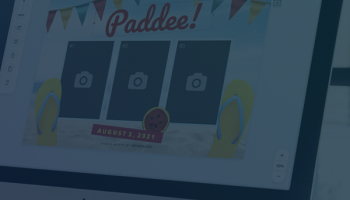
One of the standout features of dslrBooth is its robust set of customization options. Users can create personalized photo templates, incorporating logos, text, and graphics to match the theme of any event. The software also supports green screen technology, allowing for dynamic and creative backgrounds that can transport guests to virtually any setting.
dslrBooth excels in its ability to handle both still photos and animated GIFs, providing a versatile solution for capturing memories. The software includes a range of filters and effects, enabling users to enhance their photos with a professional touch. Additionally, dslrBooth offers built-in social media integration, making it easy for guests to share their photos instantly on platforms like Facebook, Twitter, and Instagram.
The software's automation capabilities are another highlight. dslrBooth can be configured to run unattended, automatically capturing and processing photos, which is ideal for busy events. It also supports a variety of printing options, including the ability to print multiple copies of photos or create photo strips, ensuring that guests leave with tangible memories.
For those looking to add an extra layer of engagement, dslrBooth includes features such as video recording and slow-motion video capture. These options provide a unique and entertaining experience for guests, setting dslrBooth apart from more basic photo booth solutions.
In terms of compatibility, dslrBooth is available for both Windows and Mac operating systems, ensuring broad accessibility. The software is regularly updated, with the developers committed to adding new features and improving performance based on user feedback.
Overall, dslrBooth stands out as a comprehensive and versatile photo booth software solution. Its blend of ease-of-use, customization, and advanced features make it an excellent choice for anyone looking to create memorable photo booth experiences. Whether for weddings, corporate events, or private parties, dslrBooth delivers a professional-grade solution that is sure to impress.
At its core, dslrBooth is engineered to deliver high-quality photo booth experiences with minimal setup and maximum customization. The software supports a wide range of DSLR cameras, ensuring that users can leverage their existing equipment to create stunning photos. The interface is user-friendly, making it accessible even for those with limited technical expertise.
One of the standout features of dslrBooth is its robust set of customization options. Users can create personalized photo templates, incorporating logos, text, and graphics to match the theme of any event. The software also supports green screen technology, allowing for dynamic and creative backgrounds that can transport guests to virtually any setting.
dslrBooth excels in its ability to handle both still photos and animated GIFs, providing a versatile solution for capturing memories. The software includes a range of filters and effects, enabling users to enhance their photos with a professional touch. Additionally, dslrBooth offers built-in social media integration, making it easy for guests to share their photos instantly on platforms like Facebook, Twitter, and Instagram.
The software's automation capabilities are another highlight. dslrBooth can be configured to run unattended, automatically capturing and processing photos, which is ideal for busy events. It also supports a variety of printing options, including the ability to print multiple copies of photos or create photo strips, ensuring that guests leave with tangible memories.
For those looking to add an extra layer of engagement, dslrBooth includes features such as video recording and slow-motion video capture. These options provide a unique and entertaining experience for guests, setting dslrBooth apart from more basic photo booth solutions.
In terms of compatibility, dslrBooth is available for both Windows and Mac operating systems, ensuring broad accessibility. The software is regularly updated, with the developers committed to adding new features and improving performance based on user feedback.
Overall, dslrBooth stands out as a comprehensive and versatile photo booth software solution. Its blend of ease-of-use, customization, and advanced features make it an excellent choice for anyone looking to create memorable photo booth experiences. Whether for weddings, corporate events, or private parties, dslrBooth delivers a professional-grade solution that is sure to impress.
OS: Windows 11, Windows 10 32/64 bit
Add Your Review or 64-bit Compatibility Report
Top Editors 64-bit downloads


CorelDRAW X5 2026 v27.0.0.121
Versatile graphic design suite for vector illustration and layout creation.
Trialware | $269.00


Photo editor for Windows 10 XL 26.1.2

Photo editing software for beginners and pro. All well-known photo effects.
Shareware | $29.95

Fotografix Portable 1.5 Rev 2
Image editor with support for many common features as well as a few advanced one
Freeware

jMonkeyEngine 3.9.0
jMonkeyEngine: Open-source 3D game development engine for Java developers.
Open Source

Adobe Photoshop Elements 2024.3
Powerful yet easy-to-use photo editing software for print, e-mail, and the Web
Trialware | $99.99
Members area
Top 64-bit Downloads
-
Fluid Mask for Mac 3.3.14
x64 trialware download -
ICO file format x64 2.1f1
x64 open source download -
Archicad 64bit 27 B3001
x64 demo download -
Adobe Photoshop Elements 2024.3
x64 trialware download -
Potrace for Windows (x64
bit) 1.16
x64 open source download -
SimLab SKP Exporter for
SolidWorks x64 8.0
x64 trialware download -
Affinity Photo 2.5.3
x64 trialware download -
Portable MicroDicom x64 2024.2
x64 freeware download -
ImageJ x64 1.54i
x64 freeware download -
Geneious Basic x64 6.0.4
x64 freeware download
Top Downloads
-
CorelDRAW X5 2026 v27.0.0.121
trialware download -
Tracfoil 4.12.07
trialware download -
oCam 428.0
freeware download -
Gyazo 5.9.1
demo download -
CodeLoader 4.19.0
freeware download -
MarvinSketch 23.16.0
freeware download -
SeiSee 2.22.6
freeware download -
Anim8or 1.00
freeware download -
Texmod 0.9b
freeware download -
MapInfo Professional 17.0.4
trialware download -
Fluid Mask for Mac 3.3.14
trialware download -
GIMP 3.2.0
open source download -
Presentation3D 13.06.22
demo download -
Topaz DeNoise 6.0.1
trialware download -
iWisdom 0.0.0+2107~ga0785ce1
open source download