
Quick Share (formerly Nearby Share) - X 64-bit Download
Popular x64 Tags
- torrent x64 download
- limewire x64 download
- share file x64 download
- download x64 download
- movies x64 download
- music x64 download
- file x64 download
- share x64 download
- p2p x64 download
- peer2peer x64 download
- peer to peer x64 download
- videos x64 download
- hamachi x64 download
- photos x64 download
- video x64 download
- mp3 x64 download
- share files x64 download
- ftp x64 download
- file sharing x64 download
- online x64 download
- downloader x64 download
- sharing x64 download
- search x64 download
- download file x64 download
- filesharing x64 download
- accelerate x64 download
- file sharing accelerator x64 download
- boost x64 download
- accelerator x64 download
- booster x64 download
Quick Share (formerly Nearby Share) 1.0.2399.1
Sponsored links:
license: Freeware
downloads: 51
size: 10.50 MB
updated: 2025-11-12
tags: Quick Share (formerly Nearby Share), download Quick Share (formerly Nearby Share), Quick Share (formerly Nearby Share) free download, share file, Android to PC, file transfer, transfer, share, PC2Android, Android2PC
Add to Basket

Google

**Quick Share (formerly Nearby Share) by Google: Seamless File Sharing Made Effortless**
Quick Share, previously known as Nearby Share, is Google's innovative solution for fast, secure, and hassle-free file sharing. This versatile tool is designed to simplify the way users transfer files between Android devices, ensuring a seamless experience that keeps up with the fast-paced digital world.
**Key Features:**
1. **Instant Sharing:** Quick Share enables users to send and receive files, links, photos, and more with just a few taps. The process is intuitive and requires minimal setup, making it accessible for users of all tech-savviness levels.
2. **Cross-Platform Compatibility:** While optimized for Android devices, Quick Share also supports sharing with Chromebooks and other platforms, ensuring that your files can move freely across your ecosystem.
3. **Secure Transfers:** Security is a top priority with Quick Share. The app uses a combination of Bluetooth, Wi-Fi, and WebRTC to establish a direct, encrypted connection between devices, ensuring that your data remains private and protected.
4. **No Internet Required:** One of the standout features of Quick Share is its ability to transfer files without an active internet connection. This is particularly useful in areas with poor connectivity or when you want to save on data usage.
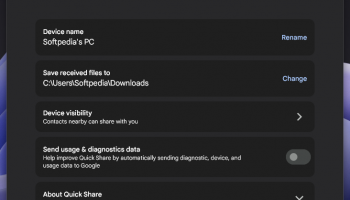
5. **Customizable Visibility:** Users have control over their device's visibility, allowing them to choose who can see their device and send files. This can be set to everyone, contacts only, or hidden, providing flexibility and privacy.
6. **Efficient and Fast:** Quick Share is designed to handle large files with ease, making it a reliable choice for transferring high-resolution photos, videos, and other sizable documents quickly and efficiently.
**User Experience:**
Quick Share offers a clean, user-friendly interface that integrates seamlessly with the Android operating system. The app is lightweight and doesn't bog down your device's performance. The sharing process is straightforward: simply select the file, choose the recipient, and send. Recipients receive a notification to accept the file, ensuring that transfers are intentional and secure.
**Performance:**
In terms of performance, Quick Share excels with its rapid transfer speeds and reliable connections. Whether you're sharing a single photo or a large video file, the app handles the task smoothly, minimizing wait times and maximizing productivity.
**Conclusion:**
Quick Share by Google is a must-have tool for anyone looking to streamline their file-sharing process. Its blend of speed, security, and ease of use makes it a standout choice in the crowded field of file transfer apps. Whether you're a casual user or a professional needing to share large files regularly, Quick Share offers a robust and reliable solution that keeps your digital life connected and efficient.
Quick Share, previously known as Nearby Share, is Google's innovative solution for fast, secure, and hassle-free file sharing. This versatile tool is designed to simplify the way users transfer files between Android devices, ensuring a seamless experience that keeps up with the fast-paced digital world.
**Key Features:**
1. **Instant Sharing:** Quick Share enables users to send and receive files, links, photos, and more with just a few taps. The process is intuitive and requires minimal setup, making it accessible for users of all tech-savviness levels.
2. **Cross-Platform Compatibility:** While optimized for Android devices, Quick Share also supports sharing with Chromebooks and other platforms, ensuring that your files can move freely across your ecosystem.
3. **Secure Transfers:** Security is a top priority with Quick Share. The app uses a combination of Bluetooth, Wi-Fi, and WebRTC to establish a direct, encrypted connection between devices, ensuring that your data remains private and protected.
4. **No Internet Required:** One of the standout features of Quick Share is its ability to transfer files without an active internet connection. This is particularly useful in areas with poor connectivity or when you want to save on data usage.
5. **Customizable Visibility:** Users have control over their device's visibility, allowing them to choose who can see their device and send files. This can be set to everyone, contacts only, or hidden, providing flexibility and privacy.
6. **Efficient and Fast:** Quick Share is designed to handle large files with ease, making it a reliable choice for transferring high-resolution photos, videos, and other sizable documents quickly and efficiently.
**User Experience:**
Quick Share offers a clean, user-friendly interface that integrates seamlessly with the Android operating system. The app is lightweight and doesn't bog down your device's performance. The sharing process is straightforward: simply select the file, choose the recipient, and send. Recipients receive a notification to accept the file, ensuring that transfers are intentional and secure.
**Performance:**
In terms of performance, Quick Share excels with its rapid transfer speeds and reliable connections. Whether you're sharing a single photo or a large video file, the app handles the task smoothly, minimizing wait times and maximizing productivity.
**Conclusion:**
Quick Share by Google is a must-have tool for anyone looking to streamline their file-sharing process. Its blend of speed, security, and ease of use makes it a standout choice in the crowded field of file transfer apps. Whether you're a casual user or a professional needing to share large files regularly, Quick Share offers a robust and reliable solution that keeps your digital life connected and efficient.
OS: Windows 11, Windows 10 64 bit
Add Your Review or 64-bit Compatibility Report
Top File Sharing / Peer to Peer 64-bit downloads





BitComet 2.20
Fast and efficient torrent downloader with advanced features and a user-friendly interface. ...
Freeware

FrostWire 7.0.2 Build 329
FrostWire: A versatile, open-source torrent client and media player.
Open Source


Members area
Top 64-bit Downloads
-
Internet Explorer 8 for
Windows Vista 64-bit and
Windows Server 2008
64-bit
x64 freeware download -
Adobe Flash Player 10
for 64-bit Windows Preview 2
x64 freeware download -
Firefox 64bit x64 127.0.2
x64 open source download -
Google Chrome x64 bit 126.0.6478.127
x64 freeware download -
SoftPerfect Bandwidth
Manager 3.3.0
x64 shareware download -
SSuite NetSurfer Browser
x64 2.30.16.8
x64 freeware download -
SSuite NetSurfer Extreme
x64 2.10.16.1
x64 freeware download -
SSuite NetSurfer E-Gamer
x64 2.10.16.2
x64 freeware download -
SoftPerfect Connection
Emulator 1.9
x64 shareware download -
Radio Downloader 64-bit 0.32
x64 open source download
Top Downloads
-
Internet Explorer 8 for
Windows Vista 64-bit and
Windows Server 2008
64-bit
freeware download -
Adobe Flash Player 10
for 64-bit Windows Preview 2
freeware download -
X-Browser 1.4
freeware download -
Google Chrome 145.0.7632.117
freeware download -
Net-SNMP 5.9.1
freeware download -
Yandex Browser 24.6.1.766
freeware download -
Firefox 64bit x64 127.0.2
open source download -
SeaMonkey 2.53.23
open source download -
uTorrent (µTorrent) 3.6.0 B47124
open source download -
Simplify Media 2.5.0.1519
freeware download -
Clockify Time Tracker
for Chrome 2.11.46
trialware download -
BrowseEmAll 9.7.0
trialware download -
TeamViewer 15.75.4
freeware download -
AnyDesk 9.6.10
freeware download -
NTP Server Tool 1.0
freeware download