
Artweaver Plus - X 64-bit Download
Popular x64 Tags
- photo editor x64 download
- software x64 download
- image editor x64 download
- image editing x64 download
- photos x64 download
- photoshop x64 download
- color x64 download
- design x64 download
- jpeg x64 download
- editor x64 download
- plugin x64 download
- image enhancement x64 download
- watermark x64 download
- exif x64 download
- rotate x64 download
- batch x64 download
- pictures x64 download
- graphics x64 download
- image x64 download
- digital camera x64 download
- photo x64 download
- graphic x64 download
- images x64 download
- resize x64 download
- paint x64 download
- camera x64 download
- digital x64 download
- digital imaging x64 download
- picture x64 download
- jpg x64 download
Artweaver Plus 8.1.3
Sponsored links:
license: Demo ($37.00)
downloads: 508
size: 17.10 MB
updated: 2026-02-22
tags: Artweaver Plus, download Artweaver Plus, Artweaver Plus free download, image editor, paint recorder, edit image, editor, edit, painter, recorder
Buy Now
Add to Basket

Boris Eyrich

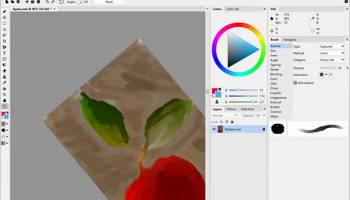
Artweaver Free, developed by Boris Eyrich, is a versatile and user-friendly digital painting software that caters to both novice and experienced artists. This software stands out with its comprehensive set of tools that mimic traditional painting techniques, making it an excellent choice for artists who want to transition from physical to digital media without losing the tactile experience of brushwork.
One of the most appealing aspects of Artweaver Free is its intuitive interface, which is designed to be accessible for beginners while still offering the depth and flexibility that seasoned artists require. The workspace is customizable, allowing users to arrange tools and palettes to suit their workflow, which enhances productivity and creativity.
Artweaver Free boasts an impressive array of brushes that replicate the feel of real-world materials such as oil, watercolor, and pencil. Each brush is highly customizable, enabling artists to adjust parameters like size, shape, and opacity to achieve the desired effect. This level of detail ensures that artists can create intricate and nuanced artwork with ease.
The software also supports layers, a crucial feature for complex compositions, allowing artists to build and edit their work non-destructively. The layer functionality is complemented by a variety of blending modes, which provide additional creative possibilities for combining elements in a composition.
Artweaver Free includes essential editing tools such as crop, transform, and selection tools, which are indispensable for refining artwork. The software also supports a wide range of file formats, ensuring compatibility with other graphic design tools and facilitating easy sharing and collaboration.
One of the standout features of Artweaver Free is its support for pressure-sensitive tablets, which enhances the natural feel of drawing and painting. This feature is particularly beneficial for artists who rely on subtle variations in pressure to achieve the desired line quality and texture.
While Artweaver Free is a robust tool in its own right, it is worth noting that it is the free version of a more feature-rich paid version, Artweaver Plus. The free version is perfect for hobbyists and those new to digital art, but professionals might find the additional features in the paid version more suited to their needs.
Overall, Artweaver Free is a commendable choice for anyone looking to explore digital painting. Its blend of traditional and digital art tools, combined with an easy-to-navigate interface, makes it a valuable addition to any artist's toolkit. Whether you're sketching, painting, or experimenting with new styles, Artweaver Free provides the tools and flexibility to bring your creative visions to life.
One of the most appealing aspects of Artweaver Free is its intuitive interface, which is designed to be accessible for beginners while still offering the depth and flexibility that seasoned artists require. The workspace is customizable, allowing users to arrange tools and palettes to suit their workflow, which enhances productivity and creativity.
Artweaver Free boasts an impressive array of brushes that replicate the feel of real-world materials such as oil, watercolor, and pencil. Each brush is highly customizable, enabling artists to adjust parameters like size, shape, and opacity to achieve the desired effect. This level of detail ensures that artists can create intricate and nuanced artwork with ease.
The software also supports layers, a crucial feature for complex compositions, allowing artists to build and edit their work non-destructively. The layer functionality is complemented by a variety of blending modes, which provide additional creative possibilities for combining elements in a composition.
Artweaver Free includes essential editing tools such as crop, transform, and selection tools, which are indispensable for refining artwork. The software also supports a wide range of file formats, ensuring compatibility with other graphic design tools and facilitating easy sharing and collaboration.
One of the standout features of Artweaver Free is its support for pressure-sensitive tablets, which enhances the natural feel of drawing and painting. This feature is particularly beneficial for artists who rely on subtle variations in pressure to achieve the desired line quality and texture.
While Artweaver Free is a robust tool in its own right, it is worth noting that it is the free version of a more feature-rich paid version, Artweaver Plus. The free version is perfect for hobbyists and those new to digital art, but professionals might find the additional features in the paid version more suited to their needs.
Overall, Artweaver Free is a commendable choice for anyone looking to explore digital painting. Its blend of traditional and digital art tools, combined with an easy-to-navigate interface, makes it a valuable addition to any artist's toolkit. Whether you're sketching, painting, or experimenting with new styles, Artweaver Free provides the tools and flexibility to bring your creative visions to life.
Homepage: Artweaver Plus
OS: Windows 11, Windows 10 32/64 bit
Add Your Review or 64-bit Compatibility Report
Top Editors 64-bit downloads


CorelDRAW X5 2026 v27.0.0.121
Versatile graphic design suite for vector illustration and layout creation.
Trialware | $269.00

FreeFotoWorks 2026 26.1.3
Photo editing software for beginners and pro. All well-known photo effects.
Freeware


jMonkeyEngine 3.9.0
jMonkeyEngine: Open-source 3D game development engine for Java developers.
Open Source

Adobe Photoshop Elements 2024.3
Powerful yet easy-to-use photo editing software for print, e-mail, and the Web
Trialware | $99.99
Members area
Top 64-bit Downloads
-
Fluid Mask for Mac 3.3.14
x64 trialware download -
ICO file format x64 2.1f1
x64 open source download -
Archicad 64bit 27 B3001
x64 demo download -
TopSpice 10.26a
x64 demo download -
WellCAD x64 5.3 B625
x64 demo download -
Portable MicroDicom x64 2024.2
x64 freeware download -
Adobe Photoshop Elements 2024.3
x64 trialware download -
Potrace for Windows (x64
bit) 1.16
x64 open source download -
delaboratory x64 0.8
x64 open source download -
AcroPDF 6.2
x64 shareware download
Top Downloads
-
CorelDRAW X5 2026 v27.0.0.121
trialware download -
Tracfoil 4.12.07
trialware download -
oCam 428.0
freeware download -
Gyazo 5.9.1
demo download -
VueScan 9.8.53
demo download -
nanoCAD 5.1.2524.2017
freeware download -
MarvinSketch 23.16.0
freeware download -
MapInfo Professional 17.0.4
trialware download -
Scanahand 8.0.0.320
demo download -
iWisdom 0.0.0+2107~ga0785ce1
open source download -
CodeLoader 4.19.0
freeware download -
SeiSee 2.22.6
freeware download -
XnConvert 1.106.0
shareware download -
Topaz Simplify 4.1.1
trialware download -
World Tools 2.0.6
shareware download