
Ashampoo Snap - X 64-bit Download
Popular x64 Tags
- snapshot x64 download
- video screen capture x64 download
- print screen x64 download
- software x64 download
- screen capture tool x64 download
- video capture x64 download
- free screen capture x64 download
- screen capture x64 download
- capture x64 download
- desktop x64 download
- picture x64 download
- print x64 download
- video x64 download
- screen recorder x64 download
- screen capture software x64 download
- wmv x64 download
- screen x64 download
- image x64 download
- screen capture program x64 download
- clipboard x64 download
- screenshot x64 download
- screencapture x64 download
- record x64 download
- screen shot x64 download
- avi x64 download
- screen recording x64 download
- printscreen x64 download
- flash x64 download
- window x64 download
- recorder x64 download
Ashampoo Snap 17.0.2
Sponsored links:
license: Trialware
downloads: 41
size: 217.00 MB
updated: 2025-03-15
tags: Ashampoo Snap, download Ashampoo Snap, Ashampoo Snap free download, screen capture, take screenshot, capture window, capture, screenshot, grabber, recorder
Add to Basket

ashampoo GmbH and Co KG

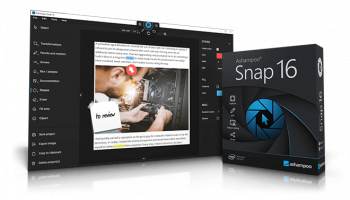
Ashampoo Snap, developed by ashampoo GmbH and Co KG, is a versatile and powerful screen capture and video recording software designed to meet the needs of both casual users and professionals. This software stands out with its intuitive interface and a comprehensive suite of features that make capturing, editing, and sharing screen content remarkably easy and efficient.
At its core, Ashampoo Snap offers robust screen capture capabilities, allowing users to capture anything on their screen with precision. Whether you need to capture the entire screen, specific windows, or custom regions, Snap provides flexible options to suit your needs. The software supports scrolling captures, making it ideal for capturing lengthy web pages or documents in a single image.
One of the standout features of Ashampoo Snap is its powerful video recording functionality. Users can record high-quality videos of their screen activities, complete with audio from multiple sources. This makes it an excellent tool for creating tutorials, presentations, or gameplay recordings. The software also includes a webcam overlay feature, perfect for adding a personal touch to your recordings.
Ashampoo Snap goes beyond mere capturing and recording with its extensive editing tools. The built-in editor allows users to annotate their captures with text, arrows, shapes, and stamps, making it easy to highlight important information or add context. Advanced editing options include image cropping, resizing, and applying various effects to enhance the visual appeal of your captures.
Sharing your captures and recordings is seamless with Ashampoo Snap. The software supports direct uploading to popular cloud services like Dropbox, Google Drive, and OneDrive, as well as social media platforms such as Facebook and Twitter. Additionally, users can save their files in a variety of formats, including PNG, JPEG, and PDF, ensuring compatibility with different applications and devices.
Ashampoo Snap also prioritizes user convenience and productivity. The software includes customizable hotkeys for quick access to frequently used functions, and the user-friendly interface ensures that even beginners can navigate and utilize the software effectively. The program is lightweight and optimized for performance, ensuring smooth operation without taxing system resources.
In summary, Ashampoo Snap by ashampoo GmbH and Co KG is a comprehensive screen capture and video recording solution that excels in functionality, ease of use, and versatility. Whether you're a professional needing advanced editing tools or a casual user looking for a straightforward way to capture and share screen content, Ashampoo Snap is a reliable and feature-rich choice that won't disappoint.
At its core, Ashampoo Snap offers robust screen capture capabilities, allowing users to capture anything on their screen with precision. Whether you need to capture the entire screen, specific windows, or custom regions, Snap provides flexible options to suit your needs. The software supports scrolling captures, making it ideal for capturing lengthy web pages or documents in a single image.
One of the standout features of Ashampoo Snap is its powerful video recording functionality. Users can record high-quality videos of their screen activities, complete with audio from multiple sources. This makes it an excellent tool for creating tutorials, presentations, or gameplay recordings. The software also includes a webcam overlay feature, perfect for adding a personal touch to your recordings.
Ashampoo Snap goes beyond mere capturing and recording with its extensive editing tools. The built-in editor allows users to annotate their captures with text, arrows, shapes, and stamps, making it easy to highlight important information or add context. Advanced editing options include image cropping, resizing, and applying various effects to enhance the visual appeal of your captures.
Sharing your captures and recordings is seamless with Ashampoo Snap. The software supports direct uploading to popular cloud services like Dropbox, Google Drive, and OneDrive, as well as social media platforms such as Facebook and Twitter. Additionally, users can save their files in a variety of formats, including PNG, JPEG, and PDF, ensuring compatibility with different applications and devices.
Ashampoo Snap also prioritizes user convenience and productivity. The software includes customizable hotkeys for quick access to frequently used functions, and the user-friendly interface ensures that even beginners can navigate and utilize the software effectively. The program is lightweight and optimized for performance, ensuring smooth operation without taxing system resources.
In summary, Ashampoo Snap by ashampoo GmbH and Co KG is a comprehensive screen capture and video recording solution that excels in functionality, ease of use, and versatility. Whether you're a professional needing advanced editing tools or a casual user looking for a straightforward way to capture and share screen content, Ashampoo Snap is a reliable and feature-rich choice that won't disappoint.
OS: Windows 11, Windows 10 64 bit
Add Your Review or 64-bit Compatibility Report
Top Screen Capture 64-bit downloads


VueScan 9.8.52
VueScan: Powerful scanning software for enhanced image quality and versatility.
Demo | $29.96

Screenpresso 2.2.8

Screenpresso: Capture, edit, and share screenshots and videos effortlessly.
Shareware | $29.99

iTop Screenshot 1.2.3.544
iTop Screenshot is a free, lightweight, yet powerful screenshot tool.
Freeware
tags: Screenshot, screen capture


SD Snap Studio 1.0
First-class screen capture application with an advanced image editor
Shareware | $20.95

HyperSnap 9.7.3
Capture and edit screenshots effortlessly with powerful tools and features.
Demo | $49.95
Members area
Top 64-bit Downloads
-
Fluid Mask for Mac 3.3.14
x64 trialware download -
ICO file format x64 2.1f1
x64 open source download -
Archicad 64bit 27 B3001
x64 demo download -
WellCAD x64 5.3 B625
x64 demo download -
Portable MicroDicom x64 2024.2
x64 freeware download -
Adobe Photoshop Elements 2024.3
x64 trialware download -
TopSpice 10.26a
x64 demo download -
Potrace for Windows (x64
bit) 1.16
x64 open source download -
delaboratory x64 0.8
x64 open source download -
Photo Ninja 64-bit 1.4.0c
x64 trialware download
Top Downloads
-
CorelDRAW X5 2026 v27.0.0.121
trialware download -
Tracfoil 4.12.07
trialware download -
oCam 428.0
freeware download -
Gyazo 5.9.1
demo download -
MapInfo Professional 17.0.4
trialware download -
iWisdom 0.0.0+2107~ga0785ce1
open source download -
CodeLoader 4.19.0
freeware download -
nanoCAD 5.1.2524.2017
freeware download -
SeiSee 2.22.6
freeware download -
MarvinSketch 23.16.0
freeware download -
Scanahand 8.0.0.320
demo download -
VueScan 9.8.52
demo download -
Topaz Simplify 4.1.1
trialware download -
World Tools 2.0.6
shareware download -
Texmod 0.9b
freeware download