
BlockSite for Chrome - X 64-bit Download
Popular x64 Tags
- mozilla x64 download
- internet explorer toolbar x64 download
- browser x64 download
- netscape x64 download
- toolbar x64 download
- ie toolbar x64 download
- firefox x64 download
- free toolbar x64 download
- favorites organizer x64 download
- internet explorer x64 download
- favorites x64 download
- internet x64 download
- bookmarks x64 download
- add ons x64 download
- browser toolbar x64 download
- bookmark manager x64 download
- theme x64 download
- explorer x64 download
- addons x64 download
- cache x64 download
- skin x64 download
- web x64 download
- backup x64 download
- golf x64 download
- anarchy bar anarchy x64 download
- golf pro x64 download
- mhfs rss rss feed reader x64 download
- golf leader x64 download
- womens golf x64 download
- ladies golf x64 download
BlockSite for Chrome 7.0.0
license: Shareware ($14.99)
downloads: 59
size: 19.30 MB
updated: 2026-02-22
tags: BlockSite for Chrome, download BlockSite for Chrome, BlockSite for Chrome free download, restrict Internet access, website blocker, create webpage blacklist, blocker, restrict, website, access
Add to Basket

Blocksite

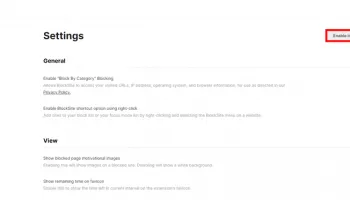
BlockSite for Chrome, developed by Blocksite, is a powerful browser extension designed to enhance productivity and promote digital well-being. This intuitive tool allows users to easily block distracting websites and apps, helping them stay focused and manage their online habits more effectively.
One of the standout features of BlockSite is its user-friendly interface, which makes it simple for users of all technical levels to navigate and configure. The extension allows you to create a customized list of websites and apps to block, ensuring that you can tailor your browsing experience to your specific needs. Whether you're looking to eliminate social media distractions, block adult content, or simply limit your time on certain sites, BlockSite provides the flexibility to do so with ease.
In addition to its core blocking functionality, BlockSite offers several advanced features that set it apart from other similar tools. The "Work Mode" feature, for example, enables users to set up focused work sessions with timed breaks, promoting a balanced approach to productivity. The "Scheduling" feature allows you to block specific sites during certain times of the day, making it easier to stick to a routine and avoid late-night browsing.
Another notable feature is the "Password Protection" option, which adds an extra layer of security by requiring a password to access blocked sites or change settings. This is particularly useful for parents who want to ensure their children are not accessing inappropriate content or for individuals who want to maintain their self-discipline.
BlockSite also integrates seamlessly with other productivity tools, such as Google Calendar, allowing users to synchronize their blocking schedules with their daily agendas. This integration helps create a cohesive and streamlined workflow, further enhancing productivity.
One of the key benefits of BlockSite is its commitment to user privacy. The extension does not collect any personal data, ensuring that your browsing habits remain confidential. This focus on privacy, combined with its robust feature set, makes BlockSite a trustworthy and reliable choice for anyone looking to improve their online habits.
In summary, BlockSite for Chrome is a versatile and effective tool for managing online distractions and promoting productivity. Its easy-to-use interface, customizable features, and commitment to privacy make it an excellent choice for users looking to take control of their digital lives. Whether you're a student, professional, or parent, BlockSite offers the tools you need to stay focused and achieve your goals.
One of the standout features of BlockSite is its user-friendly interface, which makes it simple for users of all technical levels to navigate and configure. The extension allows you to create a customized list of websites and apps to block, ensuring that you can tailor your browsing experience to your specific needs. Whether you're looking to eliminate social media distractions, block adult content, or simply limit your time on certain sites, BlockSite provides the flexibility to do so with ease.
In addition to its core blocking functionality, BlockSite offers several advanced features that set it apart from other similar tools. The "Work Mode" feature, for example, enables users to set up focused work sessions with timed breaks, promoting a balanced approach to productivity. The "Scheduling" feature allows you to block specific sites during certain times of the day, making it easier to stick to a routine and avoid late-night browsing.
Another notable feature is the "Password Protection" option, which adds an extra layer of security by requiring a password to access blocked sites or change settings. This is particularly useful for parents who want to ensure their children are not accessing inappropriate content or for individuals who want to maintain their self-discipline.
BlockSite also integrates seamlessly with other productivity tools, such as Google Calendar, allowing users to synchronize their blocking schedules with their daily agendas. This integration helps create a cohesive and streamlined workflow, further enhancing productivity.
One of the key benefits of BlockSite is its commitment to user privacy. The extension does not collect any personal data, ensuring that your browsing habits remain confidential. This focus on privacy, combined with its robust feature set, makes BlockSite a trustworthy and reliable choice for anyone looking to improve their online habits.
In summary, BlockSite for Chrome is a versatile and effective tool for managing online distractions and promoting productivity. Its easy-to-use interface, customizable features, and commitment to privacy make it an excellent choice for users looking to take control of their digital lives. Whether you're a student, professional, or parent, BlockSite offers the tools you need to stay focused and achieve your goals.
OS: Windows 11, Windows 10 32/64 bit
Add Your Review or 64-bit Compatibility Report
Top Browser Tools 64-bit downloads


Web Archives for Opera 7.3.0
Effortlessly save and manage web pages with this intuitive Opera extension.
Open Source


Chrono Download Manager 0.13.10
Effortlessly manage and accelerate your downloads with Chrono Download Manager.
Freeware


TagSpaces Web Clipper for Chrome 4.1.3

Organize your files effortlessly with TagSpaces' intuitive tagging system.
Freeware


Mailtrack for Chrome 12.68.5
Mailtrack for Chrome: Email tracking with read receipts for Gmail users.
Shareware | $9.99

MetaMask for Chrome 13.23.0
Seamlessly manage your Ethereum assets and interact with decentralized apps.
Open Source

Kami 2.0.22844
Transform PDFs and documents into interactive, collaborative experiences.
Trialware | $149.00
Members area
Top 64-bit Downloads
-
Adobe Flash Player 10
for 64-bit Windows Preview 2
x64 freeware download -
FileZilla Server 1.8.1
x64 open source download -
Internet Explorer 8 for
Windows Vista 64-bit and
Windows Server 2008
64-bit
x64 freeware download -
Firefox 64bit x64 127.0.2
x64 open source download -
SSuite NetSurfer Extreme
x64 2.10.16.1
x64 freeware download -
Google Chrome x64 bit 126.0.6478.127
x64 freeware download -
SSuite NetSurfer Browser
x64 2.30.16.10
x64 freeware download -
WatchFTP x64 4.2.1.0
x64 trialware download -
Heroix Longitude for
VMware x64 10.0.1
x64 trialware download -
Xlight FTP Server
Professional x64 3.9.4.2
x64 trialware download
Top Downloads
-
Adobe Flash Player 10
for 64-bit Windows Preview 2
freeware download -
MiraxTV 2024.5
freeware download -
Profile Migrator 1.1
trialware download -
Web Archives for Opera 7.3.0
open source download -
TheWorld Browser 7.0.0.108
freeware download -
MusicFab 1.0.6.6
demo download -
Xftp Free 7.0 B0155
freeware download -
Virtual World 4.7.4
commercial download -
Open With Photoshop 63.0
open source download -
NetShareWatcher 1.5.8
shareware download -
Dooble 2024.12.31
open source download -
MP4 Downloader 6.3.0
trialware download -
Vuze 5.7.7.0
freeware download -
LocalSend 1.17.0
open source download -
FileZilla Server 1.8.1
open source download