
Flagfox for Firefox - X 64-bit Download
Popular x64 Tags
- mozilla x64 download
- internet explorer toolbar x64 download
- browser x64 download
- netscape x64 download
- toolbar x64 download
- ie toolbar x64 download
- firefox x64 download
- free toolbar x64 download
- favorites organizer x64 download
- internet explorer x64 download
- favorites x64 download
- internet x64 download
- bookmarks x64 download
- add ons x64 download
- browser toolbar x64 download
- bookmark manager x64 download
- theme x64 download
- explorer x64 download
- addons x64 download
- cache x64 download
- skin x64 download
- web x64 download
- backup x64 download
- golf x64 download
- anarchy bar anarchy x64 download
- golf pro x64 download
- mhfs rss rss feed reader x64 download
- golf leader x64 download
- womens golf x64 download
- ladies golf x64 download
Flagfox for Firefox 6.1.96
Sponsored links:
license: Freeware
downloads: 86
size: 1.10 MB
updated: 2026-03-06
tags: Flagfox for Firefox, download Flagfox for Firefox, Flagfox for Firefox free download, flag viewer, server location, Firefox add-on, flag, country, server, extension
Add to Basket

Dave Garrett

Flagfox for Firefox, developed by Dave Garrett, is an innovative browser extension designed to enhance your web browsing experience by providing insightful information about the websites you visit. This lightweight yet powerful tool seamlessly integrates into the Firefox browser, offering users a unique blend of functionality and convenience.
At its core, Flagfox displays the national flag of the server's location for the website currently being viewed. This seemingly simple feature packs a punch, offering a wealth of information at a glance. By clicking on the flag icon, users can access a variety of additional details and tools, such as geolocation data, site safety checks, WHOIS information, and translation services. This makes Flagfox an invaluable resource for those who frequently navigate international websites or need to verify the authenticity and safety of online content.
One of the standout features of Flagfox is its ability to provide real-time geolocation data. This ensures that users are always aware of where a website's server is located, which can be particularly useful for identifying potential security risks or understanding regional content restrictions. The extension leverages a comprehensive database to deliver accurate and up-to-date information, making it a reliable tool for both casual users and professionals alike.
Flagfox also prioritizes user privacy and security. Unlike some other extensions, it does not track your browsing history or collect personal data. This commitment to privacy ensures that users can enjoy the benefits of the extension without compromising their online security. Additionally, the extension is regularly updated to address any potential vulnerabilities and to incorporate new features, ensuring that it remains a robust and dependable tool.
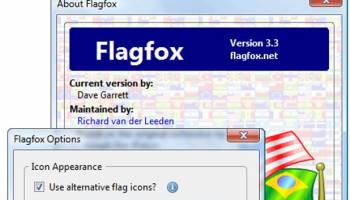
The user interface of Flagfox is intuitive and unobtrusive. The flag icon is neatly positioned in the address bar, providing easy access without cluttering the browser window. The extension's settings are straightforward, allowing users to customize their experience to suit their needs. Whether you want to enable or disable specific features, adjust the appearance of the flag icon, or configure keyboard shortcuts, Flagfox offers a high degree of flexibility.
Another notable aspect of Flagfox is its versatility. The extension supports a wide range of tools and services, from basic IP lookups to advanced network diagnostics. This makes it suitable for a diverse audience, including web developers, cybersecurity professionals, and everyday internet users. The ability to quickly access detailed information about a website's server can aid in troubleshooting connectivity issues, conducting research, or simply satisfying one's curiosity.
In summary, Flagfox for Firefox by Dave Garrett is a must-have extension for anyone looking to enhance their web browsing experience with valuable geolocation insights and security tools. Its blend of simplicity, functionality, and commitment to privacy sets it apart from other browser extensions. Whether you're concerned about online safety, interested in the geographical origins of websites, or need a reliable tool for professional use, Flagfox delivers a comprehensive solution that is both user-friendly and highly effective.
At its core, Flagfox displays the national flag of the server's location for the website currently being viewed. This seemingly simple feature packs a punch, offering a wealth of information at a glance. By clicking on the flag icon, users can access a variety of additional details and tools, such as geolocation data, site safety checks, WHOIS information, and translation services. This makes Flagfox an invaluable resource for those who frequently navigate international websites or need to verify the authenticity and safety of online content.
One of the standout features of Flagfox is its ability to provide real-time geolocation data. This ensures that users are always aware of where a website's server is located, which can be particularly useful for identifying potential security risks or understanding regional content restrictions. The extension leverages a comprehensive database to deliver accurate and up-to-date information, making it a reliable tool for both casual users and professionals alike.
Flagfox also prioritizes user privacy and security. Unlike some other extensions, it does not track your browsing history or collect personal data. This commitment to privacy ensures that users can enjoy the benefits of the extension without compromising their online security. Additionally, the extension is regularly updated to address any potential vulnerabilities and to incorporate new features, ensuring that it remains a robust and dependable tool.
The user interface of Flagfox is intuitive and unobtrusive. The flag icon is neatly positioned in the address bar, providing easy access without cluttering the browser window. The extension's settings are straightforward, allowing users to customize their experience to suit their needs. Whether you want to enable or disable specific features, adjust the appearance of the flag icon, or configure keyboard shortcuts, Flagfox offers a high degree of flexibility.
Another notable aspect of Flagfox is its versatility. The extension supports a wide range of tools and services, from basic IP lookups to advanced network diagnostics. This makes it suitable for a diverse audience, including web developers, cybersecurity professionals, and everyday internet users. The ability to quickly access detailed information about a website's server can aid in troubleshooting connectivity issues, conducting research, or simply satisfying one's curiosity.
In summary, Flagfox for Firefox by Dave Garrett is a must-have extension for anyone looking to enhance their web browsing experience with valuable geolocation insights and security tools. Its blend of simplicity, functionality, and commitment to privacy sets it apart from other browser extensions. Whether you're concerned about online safety, interested in the geographical origins of websites, or need a reliable tool for professional use, Flagfox delivers a comprehensive solution that is both user-friendly and highly effective.
OS: Windows 11, Windows 10 32/64 bit
Add Your Review or 64-bit Compatibility Report
Top Browser Tools 64-bit downloads


Chrono Download Manager 0.13.10
Effortlessly manage and accelerate your downloads with Chrono Download Manager.
Freeware


Web Archives for Opera 7.3.0
Effortlessly save and manage web pages with this intuitive Opera extension.
Open Source


Mailtrack for Chrome 12.68.6

Mailtrack for Chrome: Email tracking with read receipts for Gmail users.
Shareware | $9.99


TagSpaces Web Clipper for Chrome 4.1.3
Organize your files effortlessly with TagSpaces' intuitive tagging system.
Freeware


MetaMask for Chrome 13.24.0
Seamlessly manage your Ethereum assets and interact with decentralized apps.
Open Source

Kami 2.0.22844
Transform PDFs and documents into interactive, collaborative experiences.
Trialware | $149.00
Members area
Top 64-bit Downloads
-
Adobe Flash Player 10
for 64-bit Windows Preview 2
x64 freeware download -
Internet Explorer 8 for
Windows Vista 64-bit and
Windows Server 2008
64-bit
x64 freeware download -
FileZilla Server 1.8.1
x64 open source download -
Firefox 64bit x64 127.0.2
x64 open source download -
SSuite NetSurfer Extreme
x64 2.10.16.1
x64 freeware download -
Google Chrome x64 bit 126.0.6478.127
x64 freeware download -
SSuite NetSurfer Browser
x64 2.30.16.10
x64 freeware download -
AlternaTIFF x64 2.0.8
x64 freeware download -
WatchFTP x64 4.2.1.0
x64 trialware download -
Heroix Longitude for
VMware x64 10.0.1
x64 trialware download
Top Downloads
-
Adobe Flash Player 10
for 64-bit Windows Preview 2
freeware download -
MiraxTV 2024.5
freeware download -
Xftp Free 7.0 B0155
freeware download -
Profile Migrator 1.1
trialware download -
Chrono Download Manager 0.13.10
freeware download -
Web Archives for Opera 7.3.0
open source download -
Internet Explorer 8 for
Windows Vista 64-bit and
Windows Server 2008
64-bit
freeware download -
TheWorld Browser 7.0.0.108
freeware download -
MusicFab 1.0.6.6
demo download -
FileZilla Server 1.8.1
open source download -
Virtual World 4.7.4
commercial download -
Open With Photoshop 63.0
open source download -
NetShareWatcher 1.5.8
shareware download -
Dooble 2024.12.31
open source download -
GetRight 6.5
shareware download