
FTPGetter Standard - X 64-bit Download
Popular x64 Tags
- ftprush x64 download
- sftp x64 download
- auto ftp x64 download
- ftp synchronize x64 download
- ftp software x64 download
- ftp program x64 download
- secure x64 download
- ftp client x64 download
- server x64 download
- fxp client x64 download
- ftp scripts x64 download
- ftp download x64 download
- ftp client software x64 download
- ssh x64 download
- ftp list x64 download
- ftps x64 download
- download x64 download
- ftp x64 download
- ftp backup x64 download
- upload x64 download
- ftp transfer x64 download
- secure ftp x64 download
- client x64 download
- ftp command x64 download
- resume x64 download
- scheduler x64 download
- ssl x64 download
- ftp commands x64 download
- transfer x64 download
- ftp pasv x64 download
FTPGetter Standard 5.97.0.295
Sponsored links:
license: Demo ($85.00)
downloads: 43
size: 18.80 MB
updated: 2026-01-01
tags: FTPGetter Standard, download FTPGetter Standard, FTPGetter Standard free download, FTP connection, FTP automation scheduler, FTP upload, scheduler, automation, FTP, uploader
Add to Basket

FTPGetter Team

FTPGetter Standard, developed by the innovative FTPGetter Team, is a robust and user-friendly FTP client designed to streamline and automate the process of managing file transfers. This software is particularly beneficial for businesses and individuals who frequently engage in transferring files between their local systems and remote servers, offering a seamless and efficient solution that saves both time and effort.
One of the standout features of FTPGetter Standard is its ability to automate FTP and SFTP transfers. Users can schedule tasks to run at specific times, ensuring that files are consistently updated without manual intervention. This automation capability is a game-changer for those who require regular file synchronization, as it minimizes the risk of human error and enhances productivity.
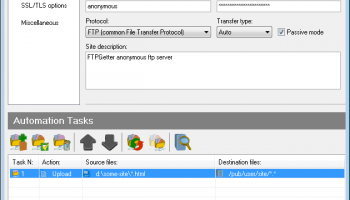
The software boasts a straightforward and intuitive interface, making it accessible even to those with limited technical expertise. The drag-and-drop functionality simplifies the process of uploading and downloading files, while the clear layout ensures that all essential tools and options are easily accessible. This ease of use does not compromise on functionality, as FTPGetter Standard is equipped with a comprehensive set of features that cater to both basic and advanced file transfer needs.
Security is a top priority for FTPGetter Standard. The software supports secure file transfer protocols, including SFTP and FTPS, ensuring that data is encrypted and protected during transit. This is crucial for businesses handling sensitive information, as it provides peace of mind that their data is safeguarded against unauthorized access.
Another noteworthy feature is the software’s ability to handle multiple connections simultaneously. This multi-threading capability allows users to transfer several files at once, significantly reducing the time required for large data transfers. Additionally, FTPGetter Standard supports file compression, which further optimizes transfer speeds and efficiency.
FTPGetter Standard also includes a robust file manager, which allows users to easily organize and manage their files. The file manager supports a variety of operations, such as renaming, deleting, and moving files, providing users with complete control over their file management processes.
For those who require customization, FTPGetter Standard offers a range of configurable options. Users can set up custom scripts to perform specific tasks, tailor the software’s behavior to suit their workflow, and even integrate it with other applications. This flexibility makes FTPGetter Standard a versatile tool that can adapt to a wide range of use cases.
In summary, FTPGetter Standard is a powerful and reliable FTP client that excels in automating and simplifying file transfer processes. Its user-friendly interface, robust security features, and extensive customization options make it an ideal choice for both individuals and businesses looking to enhance their file management capabilities. Whether you are a novice user or a seasoned IT professional, FTPGetter Standard provides the tools you need to efficiently manage your file transfers with confidence and ease.
One of the standout features of FTPGetter Standard is its ability to automate FTP and SFTP transfers. Users can schedule tasks to run at specific times, ensuring that files are consistently updated without manual intervention. This automation capability is a game-changer for those who require regular file synchronization, as it minimizes the risk of human error and enhances productivity.
The software boasts a straightforward and intuitive interface, making it accessible even to those with limited technical expertise. The drag-and-drop functionality simplifies the process of uploading and downloading files, while the clear layout ensures that all essential tools and options are easily accessible. This ease of use does not compromise on functionality, as FTPGetter Standard is equipped with a comprehensive set of features that cater to both basic and advanced file transfer needs.
Security is a top priority for FTPGetter Standard. The software supports secure file transfer protocols, including SFTP and FTPS, ensuring that data is encrypted and protected during transit. This is crucial for businesses handling sensitive information, as it provides peace of mind that their data is safeguarded against unauthorized access.
Another noteworthy feature is the software’s ability to handle multiple connections simultaneously. This multi-threading capability allows users to transfer several files at once, significantly reducing the time required for large data transfers. Additionally, FTPGetter Standard supports file compression, which further optimizes transfer speeds and efficiency.
FTPGetter Standard also includes a robust file manager, which allows users to easily organize and manage their files. The file manager supports a variety of operations, such as renaming, deleting, and moving files, providing users with complete control over their file management processes.
For those who require customization, FTPGetter Standard offers a range of configurable options. Users can set up custom scripts to perform specific tasks, tailor the software’s behavior to suit their workflow, and even integrate it with other applications. This flexibility makes FTPGetter Standard a versatile tool that can adapt to a wide range of use cases.
In summary, FTPGetter Standard is a powerful and reliable FTP client that excels in automating and simplifying file transfer processes. Its user-friendly interface, robust security features, and extensive customization options make it an ideal choice for both individuals and businesses looking to enhance their file management capabilities. Whether you are a novice user or a seasoned IT professional, FTPGetter Standard provides the tools you need to efficiently manage your file transfers with confidence and ease.
OS: Windows 11, Windows Server 2022, Windows Server 2019, Windows Server 2016, Windows 10 32/64 bit, Windows Server 2012, Windows 2008 32/64 bit, Windows 2003, Windows 8 32/64 bit, Windows 7 32/64 bit
Add Your Review or 64-bit Compatibility Report
Top FTP Clients 64-bit downloads


FileZilla Server 1.8.1
Upload and download files to your FTP resource
Open Source
tags: server, FTP, internet, download, transfer, FTP server, Server FTP, FTP upload, upload, transfer


32bit FTP 16.08.01
Web Page Uploading access millions of FTP sites around the world
Shareware | $29.99


Xlight FTP Server Professional x64 3.9.4.2
A powerful ftp server with very small program size
Trialware | $129.95


WinSCP 6.5.6

WinSCP is a free file manager for Windows supporting FTP, SFTP, S3 and WebDAV.
Freeware
Members area
Top 64-bit Downloads
-
Adobe Flash Player 10
for 64-bit Windows Preview 2
x64 freeware download -
FileZilla Server 1.8.1
x64 open source download -
Internet Explorer 8 for
Windows Vista 64-bit and
Windows Server 2008
64-bit
x64 freeware download -
Firefox 64bit x64 127.0.2
x64 open source download -
SSuite NetSurfer Extreme
x64 2.10.16.1
x64 freeware download -
Google Chrome x64 bit 126.0.6478.127
x64 freeware download -
SSuite NetSurfer Browser
x64 2.30.16.10
x64 freeware download -
WatchFTP x64 4.2.1.0
x64 trialware download -
Heroix Longitude for
VMware x64 10.0.1
x64 trialware download -
Xlight FTP Server
Professional x64 3.9.4.2
x64 trialware download
Top Downloads
-
Adobe Flash Player 10
for 64-bit Windows Preview 2
freeware download -
MiraxTV 2024.5
freeware download -
Xftp Free 7.0 B0155
freeware download -
Profile Migrator 1.1
trialware download -
Web Archives for Opera 7.3.0
open source download -
TheWorld Browser 7.0.0.108
freeware download -
MusicFab 1.0.6.6
demo download -
Virtual World 4.7.4
commercial download -
Open With Photoshop 63.0
open source download -
NetShareWatcher 1.5.8
shareware download -
Chrono Download Manager 0.13.10
freeware download -
Dooble 2024.12.31
open source download -
GetRight 6.5
shareware download -
MP4 Downloader 6.3.0
trialware download -
Vuze 5.7.7.0
freeware download