
Google Apps Manager - X 64-bit Download
Popular x64 Tags
- software x64 download
- network x64 download
- download x64 download
- seo x64 download
- rss reader x64 download
- online tv x64 download
- internet x64 download
- freeware x64 download
- free x64 download
- identity management x64 download
- hardware inventory x64 download
- slow pc performance x64 download
- proxy x64 download
- utility x64 download
- password manager x64 download
- satellite tv for pc x64 download
- email x64 download
- password reset x64 download
- address x64 download
- security x64 download
- server x64 download
- web x64 download
- remote control software x64 download
- pages x64 download
- rss x64 download
- password management x64 download
- active directory x64 download
- why is my computer so slow x64 download
- software distribution x64 download
- software inventory x64 download
Google Apps Manager 7.38.02
Sponsored links:
license: Open Source
downloads: 95
size: 23.70 MB
updated: 2026-03-26
tags: Google Apps Manager, download Google Apps Manager, Google Apps Manager free download, Google App Manager, Google Apps, Control Domain, Google Apps, Manager, Control, Domain
Add to Basket

jay0lee

**Google Apps Manager (GAM) by jay0lee: A Comprehensive Tool for Google Workspace Administration**
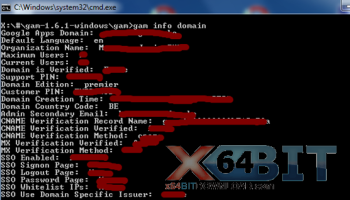
Google Apps Manager, commonly known as GAM, is an open-source command-line tool developed by jay0lee that empowers administrators to manage their Google Workspace (formerly G Suite) environments with remarkable efficiency and precision. Tailored for IT professionals and system administrators, GAM offers a robust suite of functionalities that streamline the management of users, groups, devices, and other Google Workspace components.
**Key Features:**
1. **User Management:**
GAM excels in user account management, allowing administrators to create, update, and delete user accounts effortlessly. It supports bulk operations, making it possible to handle large-scale user provisioning and de-provisioning with ease. Additionally, administrators can manage user aliases, profile photos, and organizational units, ensuring that user data is always up-to-date and well-organized.
2. **Group Administration:**
Managing groups and group memberships is a breeze with GAM. Administrators can create, update, and delete groups, as well as add or remove members in bulk. This feature is particularly useful for organizations that rely heavily on Google Groups for communication and collaboration.
3. **Device Management:**
GAM provides comprehensive device management capabilities, allowing administrators to monitor and control Chrome devices and mobile devices within their organization. This includes actions such as enrolling devices, wiping data, and applying policies, ensuring that all devices comply with organizational security standards.
4. **Reporting and Auditing:**
With GAM, administrators can generate detailed reports on various aspects of their Google Workspace environment. This includes user activity, group memberships, and device statuses. These reports are invaluable for auditing purposes and for gaining insights into how Google Workspace is being utilized within the organization.
5. **Automation and Scripting:**
One of GAM's standout features is its ability to automate repetitive tasks through scripting. Administrators can create scripts to perform routine operations, significantly reducing the time and effort required for manual administration. This feature is particularly beneficial for large organizations with complex administrative needs.
6. **Third-Party Integrations:**
GAM supports integration with various third-party tools and services, enhancing its functionality and enabling administrators to create a more cohesive and efficient IT ecosystem. This includes integration with popular identity management systems, backup solutions, and more.
**User Experience:**
GAM's command-line interface may initially seem daunting to those unfamiliar with CLI tools, but its comprehensive documentation and active community support make it accessible to both novice and experienced administrators. The tool's flexibility and power more than compensate for the learning curve, providing a level of control and customization that is unparalleled in many GUI-based administration tools.
**Conclusion:**
Google Apps Manager by jay0lee is an indispensable tool for any organization using Google Workspace. Its extensive feature set, combined with its ability to automate and streamline administrative tasks, makes it a must-have for IT professionals seeking to optimize their Google Workspace management. Whether you're managing a small business or a large enterprise, GAM offers the scalability and functionality needed to keep your Google Workspace environment running smoothly and efficiently.
Google Apps Manager, commonly known as GAM, is an open-source command-line tool developed by jay0lee that empowers administrators to manage their Google Workspace (formerly G Suite) environments with remarkable efficiency and precision. Tailored for IT professionals and system administrators, GAM offers a robust suite of functionalities that streamline the management of users, groups, devices, and other Google Workspace components.
**Key Features:**
1. **User Management:**
GAM excels in user account management, allowing administrators to create, update, and delete user accounts effortlessly. It supports bulk operations, making it possible to handle large-scale user provisioning and de-provisioning with ease. Additionally, administrators can manage user aliases, profile photos, and organizational units, ensuring that user data is always up-to-date and well-organized.
2. **Group Administration:**
Managing groups and group memberships is a breeze with GAM. Administrators can create, update, and delete groups, as well as add or remove members in bulk. This feature is particularly useful for organizations that rely heavily on Google Groups for communication and collaboration.
3. **Device Management:**
GAM provides comprehensive device management capabilities, allowing administrators to monitor and control Chrome devices and mobile devices within their organization. This includes actions such as enrolling devices, wiping data, and applying policies, ensuring that all devices comply with organizational security standards.
4. **Reporting and Auditing:**
With GAM, administrators can generate detailed reports on various aspects of their Google Workspace environment. This includes user activity, group memberships, and device statuses. These reports are invaluable for auditing purposes and for gaining insights into how Google Workspace is being utilized within the organization.
5. **Automation and Scripting:**
One of GAM's standout features is its ability to automate repetitive tasks through scripting. Administrators can create scripts to perform routine operations, significantly reducing the time and effort required for manual administration. This feature is particularly beneficial for large organizations with complex administrative needs.
6. **Third-Party Integrations:**
GAM supports integration with various third-party tools and services, enhancing its functionality and enabling administrators to create a more cohesive and efficient IT ecosystem. This includes integration with popular identity management systems, backup solutions, and more.
**User Experience:**
GAM's command-line interface may initially seem daunting to those unfamiliar with CLI tools, but its comprehensive documentation and active community support make it accessible to both novice and experienced administrators. The tool's flexibility and power more than compensate for the learning curve, providing a level of control and customization that is unparalleled in many GUI-based administration tools.
**Conclusion:**
Google Apps Manager by jay0lee is an indispensable tool for any organization using Google Workspace. Its extensive feature set, combined with its ability to automate and streamline administrative tasks, makes it a must-have for IT professionals seeking to optimize their Google Workspace management. Whether you're managing a small business or a large enterprise, GAM offers the scalability and functionality needed to keep your Google Workspace environment running smoothly and efficiently.
OS: Windows 11, Windows 10 32/64 bit
Add Your Review or 64-bit Compatibility Report
Top Other 64-bit downloads


Adobe Flash Player 10 for 64-bit Windows Preview 2
Enables native 64-bit support on Linux operating systems
Freeware


Virtual World 4.7.4
An interactive 3D Virtual World chat with live webcam and avatars support.
Commercial | $1 500.00

Advanced TCP IP Data Logger 5.1.3 Build 310
Log data from one or more Terminal Servers to disk
Demo | $100.00


Lansweeper 12.6.3.5
Comprehensive IT asset management and network discovery solution.
Demo | $219.00

Google Apps Manager 7.38.02

Manage Google Workspace accounts and services effortlessly with GAM.
Open Source

miTaggedMarks 2.01.4
Use tags to organize and access your local collection of bookmarks
Trialware | $20.00
Members area
Top 64-bit Downloads
-
Adobe Flash Player 10
for 64-bit Windows Preview 2
x64 freeware download -
FileZilla Server 1.8.1
x64 open source download -
Internet Explorer 8 for
Windows Vista 64-bit and
Windows Server 2008
64-bit
x64 freeware download -
Firefox 64bit x64 127.0.2
x64 open source download -
SSuite NetSurfer Extreme
x64 2.10.16.1
x64 freeware download -
Google Chrome x64 bit 126.0.6478.127
x64 freeware download -
SSuite NetSurfer Browser
x64 2.30.16.10
x64 freeware download -
WatchFTP x64 4.2.1.0
x64 trialware download -
Heroix Longitude for
VMware x64 10.0.1
x64 trialware download -
Xlight FTP Server
Professional x64 3.9.4.2
x64 trialware download
Top Downloads
-
Adobe Flash Player 10
for 64-bit Windows Preview 2
freeware download -
MiraxTV 2024.5
freeware download -
Xftp Free 7.0 B0155
freeware download -
Profile Migrator 1.1
trialware download -
Web Archives for Opera 7.3.0
open source download -
TheWorld Browser 7.0.0.108
freeware download -
MusicFab 1.0.6.6
demo download -
Virtual World 4.7.4
commercial download -
Open With Photoshop 63.0
open source download -
Chrono Download Manager 0.13.10
freeware download -
NetShareWatcher 1.5.8
shareware download -
Dooble 2024.12.31
open source download -
GetRight 6.5
shareware download -
MP4 Downloader 6.3.0
trialware download -
Vuze 5.7.7.0
freeware download