
ImageMagick for Windows - X 64-bit Download
Popular x64 Tags
- image x64 download
- design x64 download
- size x64 download
- color x64 download
- graphics x64 download
- gif x64 download
- panorama x64 download
- photoshop x64 download
- software x64 download
- jpeg x64 download
- utility x64 download
- photo x64 download
- plugin x64 download
- cover x64 download
- tool x64 download
- rgb x64 download
- png x64 download
- jpg x64 download
- pictures x64 download
- images x64 download
- vanderlee x64 download
- bmp x64 download
- photos x64 download
- vdl x64 download
- picture x64 download
- scanner x64 download
- screen x64 download
- video x64 download
- scan x64 download
- dust x64 download
ImageMagick for Windows 7.1.1-47
Sponsored links:
license: Open Source
downloads: 50
size: 16.00 MB
updated: 2025-04-05
tags: ImageMagick, download ImageMagick, ImageMagick free download, image editor, image converter, GIF creator, edit, convert, rotate, crop
Add to Basket

ImageMagick Studio LLC

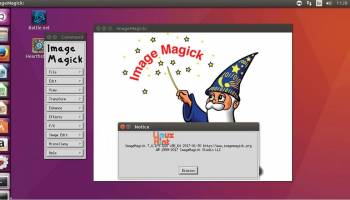
ImageMagick, developed by ImageMagick Studio LLC, is a robust and versatile software suite designed for the manipulation, creation, and conversion of bitmap images. This powerful tool supports over 200 image formats, including popular ones like JPEG, PNG, GIF, TIFF, and PDF, making it an indispensable asset for anyone working with digital images.
One of ImageMagick's standout features is its command-line interface, which allows users to perform complex image processing tasks with simple commands. This makes it particularly appealing to developers and advanced users who prefer scripting and automation over graphical user interfaces. However, for those who prefer a more visual approach, ImageMagick also integrates well with various programming languages such as C, C++, Perl, and Python, offering APIs that extend its functionality.
ImageMagick excels in a wide array of image manipulation tasks. Users can resize, flip, mirror, rotate, distort, shear, and transform images with ease. The software also supports advanced operations like image compositing, color management, and special effects, enabling users to apply sophisticated edits and enhancements to their images. Additionally, ImageMagick's ability to handle large images efficiently makes it suitable for professional-grade projects.
Another key feature is its support for image animation. Users can create GIF animations from a sequence of images, control the timing of each frame, and optimize the animation for web use. This makes ImageMagick a go-to tool for web developers and graphic designers looking to add dynamic visual elements to their projects.
ImageMagick is also known for its high performance and reliability. It is optimized to handle large batches of images quickly, making it ideal for use in server environments and automated workflows. Its open-source nature ensures continuous improvement and community support, with frequent updates that add new features and fix bugs.
Despite its powerful capabilities, ImageMagick has a steep learning curve, especially for beginners who may not be familiar with command-line tools. However, the extensive documentation and active user community provide ample resources to help new users get up to speed.
In summary, ImageMagick is a comprehensive and highly flexible image processing tool that caters to a wide range of users, from hobbyists to professionals. Its extensive format support, powerful command-line interface, and advanced image manipulation capabilities make it an essential tool for anyone serious about digital imaging. Whether you're looking to automate image processing tasks, create stunning visual effects, or simply convert image formats, ImageMagick offers the tools you need to get the job done efficiently and effectively.
One of ImageMagick's standout features is its command-line interface, which allows users to perform complex image processing tasks with simple commands. This makes it particularly appealing to developers and advanced users who prefer scripting and automation over graphical user interfaces. However, for those who prefer a more visual approach, ImageMagick also integrates well with various programming languages such as C, C++, Perl, and Python, offering APIs that extend its functionality.
ImageMagick excels in a wide array of image manipulation tasks. Users can resize, flip, mirror, rotate, distort, shear, and transform images with ease. The software also supports advanced operations like image compositing, color management, and special effects, enabling users to apply sophisticated edits and enhancements to their images. Additionally, ImageMagick's ability to handle large images efficiently makes it suitable for professional-grade projects.
Another key feature is its support for image animation. Users can create GIF animations from a sequence of images, control the timing of each frame, and optimize the animation for web use. This makes ImageMagick a go-to tool for web developers and graphic designers looking to add dynamic visual elements to their projects.
ImageMagick is also known for its high performance and reliability. It is optimized to handle large batches of images quickly, making it ideal for use in server environments and automated workflows. Its open-source nature ensures continuous improvement and community support, with frequent updates that add new features and fix bugs.
Despite its powerful capabilities, ImageMagick has a steep learning curve, especially for beginners who may not be familiar with command-line tools. However, the extensive documentation and active user community provide ample resources to help new users get up to speed.
In summary, ImageMagick is a comprehensive and highly flexible image processing tool that caters to a wide range of users, from hobbyists to professionals. Its extensive format support, powerful command-line interface, and advanced image manipulation capabilities make it an essential tool for anyone serious about digital imaging. Whether you're looking to automate image processing tasks, create stunning visual effects, or simply convert image formats, ImageMagick offers the tools you need to get the job done efficiently and effectively.
OS: Windows 11, Windows Server 2019, Windows Server 2016, Windows 10 32/64 bit, Windows Server 2012, Windows 2008 R2, Windows 2008 64 bit, Windows 8 32/64 bit, Windows 7 32/64 bit, Windows Vista
Add Your Review or 64-bit Compatibility Report
Top Other 64-bit downloads


World Tools 2.0.6
An Adobe InDesign to work on right-to-left languages and writing scripts
Shareware | $99.00


iWisdom 0.0.0+2107~ga0785ce1
An application which helps you store small bits of wisdom, such as quotations
Open Source




Topaz DeJPEG 4.1.0
Gives you the ability to improve the quality of your JPEG images
Trialware | $29.99

Topaz DeNoise 6.0.1
A Photoshop plugin that can help you remove digital image noise
Trialware | $79.99
Members area
Top 64-bit Downloads
-
Fluid Mask for Mac 3.3.14
x64 trialware download -
ICO file format x64 2.1f1
x64 open source download -
Archicad 64bit 27 B3001
x64 demo download -
Affinity Photo 2.5.3
x64 trialware download -
Portable MicroDicom x64 2024.2
x64 freeware download -
Adobe Photoshop Elements 2024.3
x64 trialware download -
ImageJ x64 1.54i
x64 freeware download -
Volocity 64bit 6.5.1
x64 demo download -
TopSpice 10.26a
x64 demo download -
Potrace for Windows (x64
bit) 1.16
x64 open source download
Top Downloads
-
CorelDRAW X5 2026 v27.0.0.121
trialware download -
Tracfoil 4.12.07
trialware download -
oCam 428.0
freeware download -
Gyazo 5.9.1
demo download -
CodeLoader 4.19.0
freeware download -
SeiSee 2.22.6
freeware download -
MarvinSketch 23.16.0
freeware download -
MapInfo Professional 17.0.4
trialware download -
World Tools 2.0.6
shareware download -
Texmod 0.9b
freeware download -
iWisdom 0.0.0+2107~ga0785ce1
open source download -
sigTOOL 0.95
open source download -
LTpowerCAD 2.7.2
freeware download -
nanoCAD 5.1.2524.2017
freeware download -
ImageConvertPro 2.01.07
shareware download