
LAN Speed Test - X 64-bit Download
Popular x64 Tags
- software x64 download
- network x64 download
- download x64 download
- seo x64 download
- rss reader x64 download
- online tv x64 download
- internet x64 download
- freeware x64 download
- free x64 download
- identity management x64 download
- hardware inventory x64 download
- slow pc performance x64 download
- proxy x64 download
- utility x64 download
- password manager x64 download
- satellite tv for pc x64 download
- email x64 download
- password reset x64 download
- address x64 download
- server x64 download
- security x64 download
- web x64 download
- remote control software x64 download
- pages x64 download
- rss x64 download
- password management x64 download
- active directory x64 download
- why is my computer so slow x64 download
- software distribution x64 download
- software inventory x64 download
LAN Speed Test 4.4
Sponsored links:

Totusoft

After installing LAN Speed Test v4, it begins in (Lite) mode. LAN Speed Test (Lite) is fully functional with no time limits, etc. - only some of the more advanced features are disabled.
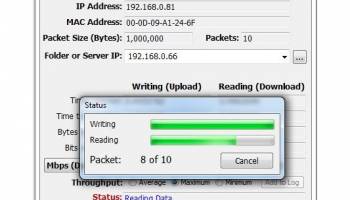
LAN Speed Test was designed from the ground up to be a simple but powerful tool for measuring file transfer, hard drive, USB Drive, and Local Area Network (LAN) speeds (wired & wireless). First, you pick a folder to test to. This folder can be on a local drive or USB drive, etc. to test the drive speed, or a shared folder on your network to test your network speed. Next, LAN Speed Test builds a file in memory, then transfers it both ways (without effects of Windows/Mac file caching) while keeping track of the time, and then does the calculations for you. For more advanced users, you can test to LAN Speed Test Server instead of a shared folder to take the slower hard drives out of the process as you are testing from one computer's RAM to another computer's RAM. Simple concept and easy to use. You'll find that LAN Speed Test will quickly become one of your favorite network tools!
Some of LAN Speed Test v4 Features include...
Test the speed of your Local Network by testing to/from network shared folders
Test the speed of your local drives (USB Drives, hard drives, etc.)
Compatible with LST Server (v1.5 or later) for real network performance results without hard drive limitations – Even test your WAN (Internet) speed with LST Server
Very fast! Most tests are less than 1 minute
Completely Portable - No installation needed
Can be run from a hard drive, USB Flash drives, Network Share, etc.
Compatible with Windows 7 or later and Windows Server 2008 or later
Compatible with Mac 10.7.5 (Lion) or later
LAN Speed Test and LAN Speed Test (Lite) are now the same download
Packets up to 9 GB in size and up to 1000 packets *
Chunk size adjustable up to 1 MB (for advanced testers)
View results by Average, Maximum, and Minimum throughputs *
Progress bar and cancel button allowing user to cancel at any time
Ability to choose Network Interface Card for computers with multiple NICs
Ability to view each packet's results in a chart or by details *
Ability to view results as Gbps, Mbps, Kbps, GBps, MBps, or KBps *
Email results manually, automatically, or only when under a certain speed *
Log results to .csv file with user configurable file location. All entries are SQL compatible for easy importing into SQL Server, MySql, etc.) *
Option to log Avg, Max, & Min automatically *
View/Edit Log built right into LAN Speed Test *
Network Scan (see other devices on your network, keep notes about them, etc.) *
Run multiple tests automatically - any number of tests from 1 sec to 24 hrs apart *
Open/Save all options and results to .csv file
Command Line Mode - All testing options available from command line *
Command Line Builder (automatically builds the command line options that you need based on your current settings) *
LAN Speed Test's user interface has been greatly improved - Plus it's fully high DPI - aware
LAN Speed Test was designed from the ground up to be a simple but powerful tool for measuring file transfer, hard drive, USB Drive, and Local Area Network (LAN) speeds (wired & wireless). First, you pick a folder to test to. This folder can be on a local drive or USB drive, etc. to test the drive speed, or a shared folder on your network to test your network speed. Next, LAN Speed Test builds a file in memory, then transfers it both ways (without effects of Windows/Mac file caching) while keeping track of the time, and then does the calculations for you. For more advanced users, you can test to LAN Speed Test Server instead of a shared folder to take the slower hard drives out of the process as you are testing from one computer's RAM to another computer's RAM. Simple concept and easy to use. You'll find that LAN Speed Test will quickly become one of your favorite network tools!
Some of LAN Speed Test v4 Features include...
Test the speed of your Local Network by testing to/from network shared folders
Test the speed of your local drives (USB Drives, hard drives, etc.)
Compatible with LST Server (v1.5 or later) for real network performance results without hard drive limitations – Even test your WAN (Internet) speed with LST Server
Very fast! Most tests are less than 1 minute
Completely Portable - No installation needed
Can be run from a hard drive, USB Flash drives, Network Share, etc.
Compatible with Windows 7 or later and Windows Server 2008 or later
Compatible with Mac 10.7.5 (Lion) or later
LAN Speed Test and LAN Speed Test (Lite) are now the same download
Packets up to 9 GB in size and up to 1000 packets *
Chunk size adjustable up to 1 MB (for advanced testers)
View results by Average, Maximum, and Minimum throughputs *
Progress bar and cancel button allowing user to cancel at any time
Ability to choose Network Interface Card for computers with multiple NICs
Ability to view each packet's results in a chart or by details *
Ability to view results as Gbps, Mbps, Kbps, GBps, MBps, or KBps *
Email results manually, automatically, or only when under a certain speed *
Log results to .csv file with user configurable file location. All entries are SQL compatible for easy importing into SQL Server, MySql, etc.) *
Option to log Avg, Max, & Min automatically *
View/Edit Log built right into LAN Speed Test *
Network Scan (see other devices on your network, keep notes about them, etc.) *
Run multiple tests automatically - any number of tests from 1 sec to 24 hrs apart *
Open/Save all options and results to .csv file
Command Line Mode - All testing options available from command line *
Command Line Builder (automatically builds the command line options that you need based on your current settings) *
LAN Speed Test's user interface has been greatly improved - Plus it's fully high DPI - aware
OS: Windows XP, Windows Vista, Windows Vista x64, Windows 7, Windows 7 x64, Windows 8, Windows 8 x64, Windows 10, Windows 10 x64
Add Your Review or 64-bit Compatibility Report
Top Other 64-bit downloads


Adobe Flash Player 10 for 64-bit Windows Preview 2
Enables native 64-bit support on Linux operating systems
Freeware


Virtual World 4.7.4
An interactive 3D Virtual World chat with live webcam and avatars support.
Commercial | $1 500.00


Advanced TCP IP Data Logger 5.1.3 Build 310
Log data from one or more Terminal Servers to disk
Demo | $100.00


Skyfiles 4.0
A client for Google Docs which enables folder drag and drop uploading.
Shareware | $29.00

miTaggedMarks 2.01.4
Use tags to organize and access your local collection of bookmarks
Trialware | $20.00

Members area
Top 64-bit Downloads
-
Adobe Flash Player 10
for 64-bit Windows Preview 2
x64 freeware download -
FileZilla Server 1.8.1
x64 open source download -
SSuite NetSurfer Extreme
x64 2.10.16.1
x64 freeware download -
Firefox 64bit x64 127.0.2
x64 open source download -
Internet Explorer 8 for
Windows Vista 64-bit and
Windows Server 2008
64-bit
x64 freeware download -
SoftPerfect Bandwidth
Manager 3.3.0
x64 shareware download -
Google Chrome x64 bit 126.0.6478.127
x64 freeware download -
SSuite NetSurfer Browser
x64 2.30.16.10
x64 freeware download -
HTTPNetworkSniffer
64-bit 1.63
x64 freeware download -
SoftPerfect Connection
Emulator 1.9
x64 shareware download
Top Downloads
-
Adobe Flash Player 10
for 64-bit Windows Preview 2
freeware download -
Web Archives for Opera 7.3.0
open source download -
TheWorld Browser 7.0.0.108
freeware download -
MusicFab 1.0.6.6
demo download -
Profile Migrator 1.1
trialware download -
Vuze 5.7.7.0
freeware download -
LocalSend 1.17.0
open source download -
NetSpeed 1.1
freeware download -
NetShareWatcher 1.5.8
shareware download -
Virtual World 4.7.4
commercial download -
Dooble 2024.12.31
open source download -
GetRight 6.5
shareware download -
MP4 Downloader 6.2.5
trialware download -
BiglyBT 4.0.0.0
open source download -
FTP! 1.0.10.30
freeware download