
PicPick - X 64-bit Download
Popular x64 Tags
- snapshot x64 download
- video screen capture x64 download
- print screen x64 download
- software x64 download
- screen capture tool x64 download
- video capture x64 download
- free screen capture x64 download
- screen capture x64 download
- capture x64 download
- desktop x64 download
- picture x64 download
- print x64 download
- video x64 download
- screen recorder x64 download
- screen capture software x64 download
- wmv x64 download
- screen x64 download
- image x64 download
- screen capture program x64 download
- clipboard x64 download
- screenshot x64 download
- screencapture x64 download
- record x64 download
- screen shot x64 download
- avi x64 download
- screen recording x64 download
- printscreen x64 download
- flash x64 download
- window x64 download
- recorder x64 download
PicPick 7.4.1
Sponsored links:
license: Shareware ($24.00)
downloads: 557
size: 75.00 MB
updated: 2025-11-21
tags: PicPick, download PicPick, PicPick free download, screen capture, color picker, pixel ruler, capture, screenshot, snapshot, ruler
Add to Basket

NTeWORKS

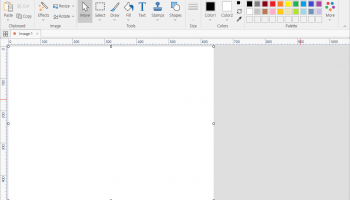
PicPick, developed by NTeWORKS, is a comprehensive screen capture and image editing software designed to cater to both casual users and professionals. This versatile tool combines an intuitive interface with a robust set of features, making it an ideal choice for anyone who frequently works with digital images or needs to capture screen content efficiently.
At its core, PicPick offers a variety of screen capture options, including full-screen, active window, scrolling window, and freehand captures. This flexibility ensures that users can easily capture exactly what they need, whether it's a simple screenshot or a complex, scrolling webpage. The software's ability to handle different capture scenarios with ease is one of its standout features.
Beyond capturing, PicPick shines with its built-in image editor. The editor is equipped with a range of tools that allow users to annotate, highlight, and enhance their images. From basic editing functions like cropping and resizing to more advanced features such as color picking, pixel ruler, and protractor, PicPick provides a comprehensive toolkit for image manipulation. The software also includes a whiteboard feature, which is particularly useful for creating presentations or tutorials.
One of PicPick's strengths lies in its user-friendly design. The interface is clean and well-organized, making it accessible to users of all skill levels. Whether you're a novice or an experienced graphic designer, navigating through PicPick's features is straightforward and intuitive. This ease of use is complemented by the software's lightweight nature, ensuring that it runs smoothly without consuming excessive system resources.
PicPick also supports multiple file formats, allowing users to save their work in a variety of ways. This flexibility is crucial for professionals who need to share their work across different platforms or with clients who may have specific format requirements.
Another notable feature is PicPick's ability to integrate with popular cloud services and social media platforms. This integration facilitates easy sharing and collaboration, making it a valuable tool for teams and individuals who need to distribute their work quickly and efficiently.
In terms of customization, PicPick offers a range of options that allow users to tailor the software to their specific needs. From customizable hotkeys to personalized capture settings, users can optimize their workflow and enhance productivity.
Overall, PicPick by NTeWORKS is a powerful and versatile software solution that excels in both screen capturing and image editing. Its blend of functionality, ease of use, and customization options make it a standout choice for anyone in need of a reliable tool for managing digital images. Whether you're creating content for professional purposes or simply capturing moments for personal use, PicPick provides the features and flexibility to meet your needs effectively.
At its core, PicPick offers a variety of screen capture options, including full-screen, active window, scrolling window, and freehand captures. This flexibility ensures that users can easily capture exactly what they need, whether it's a simple screenshot or a complex, scrolling webpage. The software's ability to handle different capture scenarios with ease is one of its standout features.
Beyond capturing, PicPick shines with its built-in image editor. The editor is equipped with a range of tools that allow users to annotate, highlight, and enhance their images. From basic editing functions like cropping and resizing to more advanced features such as color picking, pixel ruler, and protractor, PicPick provides a comprehensive toolkit for image manipulation. The software also includes a whiteboard feature, which is particularly useful for creating presentations or tutorials.
One of PicPick's strengths lies in its user-friendly design. The interface is clean and well-organized, making it accessible to users of all skill levels. Whether you're a novice or an experienced graphic designer, navigating through PicPick's features is straightforward and intuitive. This ease of use is complemented by the software's lightweight nature, ensuring that it runs smoothly without consuming excessive system resources.
PicPick also supports multiple file formats, allowing users to save their work in a variety of ways. This flexibility is crucial for professionals who need to share their work across different platforms or with clients who may have specific format requirements.
Another notable feature is PicPick's ability to integrate with popular cloud services and social media platforms. This integration facilitates easy sharing and collaboration, making it a valuable tool for teams and individuals who need to distribute their work quickly and efficiently.
In terms of customization, PicPick offers a range of options that allow users to tailor the software to their specific needs. From customizable hotkeys to personalized capture settings, users can optimize their workflow and enhance productivity.
Overall, PicPick by NTeWORKS is a powerful and versatile software solution that excels in both screen capturing and image editing. Its blend of functionality, ease of use, and customization options make it a standout choice for anyone in need of a reliable tool for managing digital images. Whether you're creating content for professional purposes or simply capturing moments for personal use, PicPick provides the features and flexibility to meet your needs effectively.
OS: Windows 11, Windows 10 32/64 bit, Windows 8 32/64 bit, Windows 7 32/64 bit, Windows Vista, Windows XP 32/64 bit
Add Your Review or 64-bit Compatibility Report
Top Screen Capture 64-bit downloads


VueScan 9.8.52
VueScan: Powerful scanning software for enhanced image quality and versatility.
Demo | $29.96

Screenpresso 2.2.8

Screenpresso: Capture, edit, and share screenshots and videos effortlessly.
Shareware | $29.99

iTop Screenshot 1.2.3.544
iTop Screenshot is a free, lightweight, yet powerful screenshot tool.
Freeware
tags: Screenshot, screen capture


SD Snap Studio 1.0
First-class screen capture application with an advanced image editor
Shareware | $20.95

HyperSnap 9.7.3
Capture and edit screenshots effortlessly with powerful tools and features.
Demo | $49.95
Members area
Top 64-bit Downloads
-
Fluid Mask for Mac 3.3.14
x64 trialware download -
ICO file format x64 2.1f1
x64 open source download -
Archicad 64bit 27 B3001
x64 demo download -
WellCAD x64 5.3 B625
x64 demo download -
Portable MicroDicom x64 2024.2
x64 freeware download -
Adobe Photoshop Elements 2024.3
x64 trialware download -
TopSpice 10.26a
x64 demo download -
Potrace for Windows (x64
bit) 1.16
x64 open source download -
delaboratory x64 0.8
x64 open source download -
Photo Ninja 64-bit 1.4.0c
x64 trialware download
Top Downloads
-
CorelDRAW X5 2026 v27.0.0.121
trialware download -
Tracfoil 4.12.07
trialware download -
oCam 428.0
freeware download -
Gyazo 5.9.1
demo download -
MapInfo Professional 17.0.4
trialware download -
iWisdom 0.0.0+2107~ga0785ce1
open source download -
CodeLoader 4.19.0
freeware download -
nanoCAD 5.1.2524.2017
freeware download -
SeiSee 2.22.6
freeware download -
MarvinSketch 23.16.0
freeware download -
Scanahand 8.0.0.320
demo download -
VueScan 9.8.52
demo download -
Topaz Simplify 4.1.1
trialware download -
World Tools 2.0.6
shareware download -
Texmod 0.9b
freeware download