
PixBuilder Studio - X 64-bit Download
Popular x64 Tags
- photo editor x64 download
- software x64 download
- image editor x64 download
- image editing x64 download
- photos x64 download
- photoshop x64 download
- color x64 download
- design x64 download
- jpeg x64 download
- editor x64 download
- plugin x64 download
- image enhancement x64 download
- watermark x64 download
- exif x64 download
- rotate x64 download
- batch x64 download
- pictures x64 download
- graphics x64 download
- image x64 download
- digital camera x64 download
- photo x64 download
- graphic x64 download
- images x64 download
- resize x64 download
- paint x64 download
- camera x64 download
- digital x64 download
- digital imaging x64 download
- picture x64 download
- jpg x64 download
PixBuilder Studio 2.2.0
Sponsored links:

WnSoft Ltd.

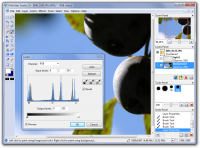
PixBuilder Studio is a free image editing software program for digital photo editing, images processing, and resizing. For digital photo editing, you can use its many professional quality functions.
PixBuilder Studio allows you to use the following color management functions: brightness/contrast management, color balance, and levels manipulation. For professional results, you can use the curves function. In PixBuilder Studio, to carry out great, professional looking photo editing, you can manipulate the image with color channels. Layers concept, multi-step undo, gradients and masks support, and text layers support all make PixBuilder Studio a great graphics software program for image processing and creating illustration.
You can also use flexible selection transform and management functions for drawing complex raster shapes and effects or use the built-in shapes drawing tool. For other complex goals, you can use the built-in high quality effects, such as different blur types, sharpen effects, and others. By using the web safe palette and save with preview function, you can easily create web graphics in any of the most popular formats you want: JPEG, GIF, PNG, and more.
For other needs, you can use a standard set of graphics software features: rotating, resizing, stamp tool, clone tool, healing brush tool, and many others. The dockable interface concept helps you to organize your workspace according to your individual wishes and makes your work more effective.
Edit images in PixBuilder Studio and create wonderful photo slideshows in PicturesToExe Deluxe.
Main Features
# Image resizing, rotating, and crop function.
# Brightness/Contrast, Color balance, Levels, Hue/Saturation, and Color fill.
# Auto Contrast and Auto Levels.
# Built-in high quality effects: blur effects, sharpen effects, dithering, and more.
# Flexible selection management functions, such as transparency masks, magic wand, different lasso tools, single column selection, color range function, and the gradient color transition effect that gives you the ability to draw complex raster shapes and apply effects for complex areas.
# Layers concept makes your work more effective and efficient.
# Text layers with drop shadow.
# A full set of brush-based tools, such as the stamp tool, healing brush, replace color tool, and others.
# Built-in shapes drawing tools (rectangles, circles, and lines).
# Free transform and Selection transform.
# Save with preview.
# Support of image scanners.
PixBuilder Studio allows you to use the following color management functions: brightness/contrast management, color balance, and levels manipulation. For professional results, you can use the curves function. In PixBuilder Studio, to carry out great, professional looking photo editing, you can manipulate the image with color channels. Layers concept, multi-step undo, gradients and masks support, and text layers support all make PixBuilder Studio a great graphics software program for image processing and creating illustration.
You can also use flexible selection transform and management functions for drawing complex raster shapes and effects or use the built-in shapes drawing tool. For other complex goals, you can use the built-in high quality effects, such as different blur types, sharpen effects, and others. By using the web safe palette and save with preview function, you can easily create web graphics in any of the most popular formats you want: JPEG, GIF, PNG, and more.
For other needs, you can use a standard set of graphics software features: rotating, resizing, stamp tool, clone tool, healing brush tool, and many others. The dockable interface concept helps you to organize your workspace according to your individual wishes and makes your work more effective.
Edit images in PixBuilder Studio and create wonderful photo slideshows in PicturesToExe Deluxe.
Main Features
# Image resizing, rotating, and crop function.
# Brightness/Contrast, Color balance, Levels, Hue/Saturation, and Color fill.
# Auto Contrast and Auto Levels.
# Built-in high quality effects: blur effects, sharpen effects, dithering, and more.
# Flexible selection management functions, such as transparency masks, magic wand, different lasso tools, single column selection, color range function, and the gradient color transition effect that gives you the ability to draw complex raster shapes and apply effects for complex areas.
# Layers concept makes your work more effective and efficient.
# Text layers with drop shadow.
# A full set of brush-based tools, such as the stamp tool, healing brush, replace color tool, and others.
# Built-in shapes drawing tools (rectangles, circles, and lines).
# Free transform and Selection transform.
# Save with preview.
# Support of image scanners.
OS: Windows XP, Windows Vista, Windows Vista x64, Windows 7, Windows 7 x64
Add Your Review or 64-bit Compatibility Report
Top Editors 64-bit downloads


CorelDRAW X5 2026 v27.0.0.121
Versatile graphic design suite for vector illustration and layout creation.
Trialware | $269.00

FreeFotoWorks 2026 26.1.3

Photo editing software for beginners and pro. All well-known photo effects.
Freeware


jMonkeyEngine 3.9.0
jMonkeyEngine: Open-source 3D game development engine for Java developers.
Open Source

Adobe Photoshop Elements 2024.3
Powerful yet easy-to-use photo editing software for print, e-mail, and the Web
Trialware | $99.99
Members area
Top 64-bit Downloads
-
Fluid Mask for Mac 3.3.14
x64 trialware download -
ICO file format x64 2.1f1
x64 open source download -
Archicad 64bit 27 B3001
x64 demo download -
WellCAD x64 5.3 B625
x64 demo download -
Portable MicroDicom x64 2024.2
x64 freeware download -
Adobe Photoshop Elements 2024.3
x64 trialware download -
TopSpice 10.26a
x64 demo download -
Potrace for Windows (x64
bit) 1.16
x64 open source download -
delaboratory x64 0.8
x64 open source download -
Photo Ninja 64-bit 1.4.0c
x64 trialware download
Top Downloads
-
CorelDRAW X5 2026 v27.0.0.121
trialware download -
Tracfoil 4.12.07
trialware download -
oCam 428.0
freeware download -
Gyazo 5.9.1
demo download -
MapInfo Professional 17.0.4
trialware download -
iWisdom 0.0.0+2107~ga0785ce1
open source download -
CodeLoader 4.19.0
freeware download -
nanoCAD 5.1.2524.2017
freeware download -
SeiSee 2.22.6
freeware download -
MarvinSketch 23.16.0
freeware download -
VueScan 9.8.52
demo download -
Topaz Simplify 4.1.1
trialware download -
World Tools 2.0.6
shareware download -
Texmod 0.9b
freeware download -
DICOMscope 3.5.1
freeware download