
Portable FileZilla - X 64-bit Download
Popular x64 Tags
- ftprush x64 download
- sftp x64 download
- auto ftp x64 download
- ftp synchronize x64 download
- ftp software x64 download
- ftp program x64 download
- secure x64 download
- ftp client x64 download
- server x64 download
- fxp client x64 download
- ftp scripts x64 download
- ftp download x64 download
- ftp client software x64 download
- ssh x64 download
- ftp list x64 download
- ftps x64 download
- download x64 download
- ftp x64 download
- ftp backup x64 download
- upload x64 download
- ftp transfer x64 download
- secure ftp x64 download
- client x64 download
- ftp command x64 download
- resume x64 download
- scheduler x64 download
- ssl x64 download
- ftp commands x64 download
- transfer x64 download
- ftp pasv x64 download
Portable FileZilla 3.69.5
Sponsored links:
license: Open Source ($25.20)
downloads: 139
size: 17.20 MB
updated: 2025-11-12
tags: Portable FileZilla, download Portable FileZilla, Portable FileZilla free download, FTP client, connect FTP, FTP transfer, FTP, client, connect, transfer
Add to Basket

Tim Kosse

Portable FileZilla, developed by Tim Kosse, is a robust and versatile FTP client that stands out for its portability and comprehensive feature set. Designed for users who require a reliable and efficient tool for transferring files over the internet, Portable FileZilla offers the flexibility to run directly from a USB drive or any other portable storage device, making it an ideal solution for professionals on the go.
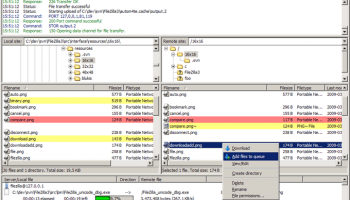
One of the standout features of Portable FileZilla is its user-friendly interface, which is both intuitive and powerful. The dual-pane layout allows for easy drag-and-drop file transfers between local and remote directories, while the tabbed interface supports multiple simultaneous connections, enhancing productivity and efficiency.
Security is a paramount concern for any FTP client, and Portable FileZilla excels in this area. It supports a wide range of protocols, including FTP, FTPS (FTP over SSL/TLS), and SFTP (SSH File Transfer Protocol), ensuring that your data is transferred securely. Additionally, the software includes robust encryption options and supports two-factor authentication, providing an extra layer of protection for sensitive information.
Performance-wise, Portable FileZilla is highly efficient, capable of handling large files and multiple transfers with ease. The software includes features such as transfer queue management, speed limits, and the ability to resume interrupted transfers, ensuring that your file transfer tasks are completed smoothly and without unnecessary delays.
Customization is another strong suit of Portable FileZilla. Users can tailor the software to their specific needs through a variety of settings and preferences. From adjusting the interface layout to configuring advanced connection options, Portable FileZilla provides the flexibility to create a personalized and optimized file transfer experience.
Moreover, the portability aspect of Portable FileZilla cannot be overstated. Being able to carry the software on a portable device means that users can access their FTP client from any computer without the need for installation. This is particularly beneficial for IT professionals, web developers, and anyone who frequently works from different locations.
In terms of support and updates, Portable FileZilla benefits from the active development and community engagement of the FileZilla Project. Regular updates ensure that the software remains compatible with the latest technologies and security standards, while an extensive online documentation and support forum provide valuable resources for troubleshooting and learning.
In conclusion, Portable FileZilla by Tim Kosse is a top-tier FTP client that combines portability, security, and performance in a user-friendly package. Whether you are a seasoned IT professional or a casual user, Portable FileZilla offers the tools and flexibility needed to manage your file transfers effectively and securely. Its portable nature, coupled with its rich feature set, makes it an indispensable tool for anyone who requires reliable and efficient file transfer capabilities on the go.
One of the standout features of Portable FileZilla is its user-friendly interface, which is both intuitive and powerful. The dual-pane layout allows for easy drag-and-drop file transfers between local and remote directories, while the tabbed interface supports multiple simultaneous connections, enhancing productivity and efficiency.
Security is a paramount concern for any FTP client, and Portable FileZilla excels in this area. It supports a wide range of protocols, including FTP, FTPS (FTP over SSL/TLS), and SFTP (SSH File Transfer Protocol), ensuring that your data is transferred securely. Additionally, the software includes robust encryption options and supports two-factor authentication, providing an extra layer of protection for sensitive information.
Performance-wise, Portable FileZilla is highly efficient, capable of handling large files and multiple transfers with ease. The software includes features such as transfer queue management, speed limits, and the ability to resume interrupted transfers, ensuring that your file transfer tasks are completed smoothly and without unnecessary delays.
Customization is another strong suit of Portable FileZilla. Users can tailor the software to their specific needs through a variety of settings and preferences. From adjusting the interface layout to configuring advanced connection options, Portable FileZilla provides the flexibility to create a personalized and optimized file transfer experience.
Moreover, the portability aspect of Portable FileZilla cannot be overstated. Being able to carry the software on a portable device means that users can access their FTP client from any computer without the need for installation. This is particularly beneficial for IT professionals, web developers, and anyone who frequently works from different locations.
In terms of support and updates, Portable FileZilla benefits from the active development and community engagement of the FileZilla Project. Regular updates ensure that the software remains compatible with the latest technologies and security standards, while an extensive online documentation and support forum provide valuable resources for troubleshooting and learning.
In conclusion, Portable FileZilla by Tim Kosse is a top-tier FTP client that combines portability, security, and performance in a user-friendly package. Whether you are a seasoned IT professional or a casual user, Portable FileZilla offers the tools and flexibility needed to manage your file transfers effectively and securely. Its portable nature, coupled with its rich feature set, makes it an indispensable tool for anyone who requires reliable and efficient file transfer capabilities on the go.
OS: Windows 11, Windows 10 32/64 bit, Windows 8 32/64 bit
Add Your Review or 64-bit Compatibility Report
Top FTP Clients 64-bit downloads


FileZilla Server 1.8.1
Upload and download files to your FTP resource
Open Source
tags: server, FTP, internet, download, transfer, FTP server, Server FTP, FTP upload, upload, transfer


FileZilla Portable 3.67.0
Features multiple connections support and a dual-pane interface
Open Source
tags: app, client, drive, filezilla, filezilla ftp client, flash, ftp, ftp client, hard drive, ipod, list, popular, portable, server list, settings, File Zilla


32bit FTP 16.08.01
Web Page Uploading access millions of FTP sites around the world
Shareware | $29.99


Xlight FTP Server Professional x64 3.9.4.2
A powerful ftp server with very small program size
Trialware | $129.95

Members area
Top 64-bit Downloads
-
Adobe Flash Player 10
for 64-bit Windows Preview 2
x64 freeware download -
Internet Explorer 8 for
Windows Vista 64-bit and
Windows Server 2008
64-bit
x64 freeware download -
FileZilla Server 1.8.1
x64 open source download -
Firefox 64bit x64 127.0.2
x64 open source download -
SSuite NetSurfer Extreme
x64 2.10.16.1
x64 freeware download -
Google Chrome x64 bit 126.0.6478.127
x64 freeware download -
SSuite NetSurfer Browser
x64 2.30.16.10
x64 freeware download -
AlternaTIFF x64 2.0.8
x64 freeware download -
WatchFTP x64 4.2.1.0
x64 trialware download -
Heroix Longitude for
VMware x64 10.0.1
x64 trialware download
Top Downloads
-
Adobe Flash Player 10
for 64-bit Windows Preview 2
freeware download -
MiraxTV 2024.5
freeware download -
Xftp Free 7.0 B0155
freeware download -
Internet Explorer 8 for
Windows Vista 64-bit and
Windows Server 2008
64-bit
freeware download -
Profile Migrator 1.1
trialware download -
Chrono Download Manager 0.13.10
freeware download -
Web Archives for Opera 7.3.0
open source download -
TheWorld Browser 7.0.0.108
freeware download -
MusicFab 1.0.6.6
demo download -
FileZilla Server 1.8.1
open source download -
Virtual World 4.7.4
commercial download -
Open With Photoshop 63.0
open source download -
NetShareWatcher 1.5.8
shareware download -
Dooble 2024.12.31
open source download -
GetRight 6.5
shareware download