
Portable Greenfish Icon Editor Pro - X 64-bit Download
Popular x64 Tags
- image x64 download
- design x64 download
- size x64 download
- color x64 download
- graphics x64 download
- gif x64 download
- panorama x64 download
- photoshop x64 download
- software x64 download
- jpeg x64 download
- utility x64 download
- photo x64 download
- plugin x64 download
- cover x64 download
- tool x64 download
- rgb x64 download
- png x64 download
- jpg x64 download
- pictures x64 download
- images x64 download
- vanderlee x64 download
- bmp x64 download
- photos x64 download
- vdl x64 download
- picture x64 download
- scanner x64 download
- screen x64 download
- video x64 download
- scan x64 download
- dust x64 download
Portable Greenfish Icon Editor Pro 4.5
Sponsored links:
license: Freeware
downloads: 862
size: 72.00 MB
updated: 2025-06-21
tags: Animation, Balázs Szalkai, Cursor, Icon Editor, Editor, PortableApps, download Portable Greenfish Icon Editor Pro, software, icon editing, Icon Designer, Portable Greenfish Icon Editor Pro free download, Edit Icon, Portable Greenfish Icon Editor Pro, Icon
Add to Basket

Balázs Szalkai and PortableApps

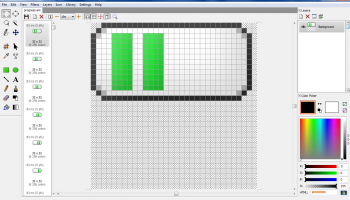
Portable Greenfish Icon Editor Pro is a versatile and robust tool designed for graphic designers, developers, and hobbyists who need a reliable solution for creating and editing icons and cursors. Developed by Balázs Szalkai in collaboration with PortableApps, this software stands out for its portability, allowing users to run it directly from a USB drive without the need for installation, making it an ideal choice for professionals on the go.
One of the standout features of Greenfish Icon Editor Pro is its comprehensive suite of editing tools. Users can create icons from scratch or import existing images to modify them. The software supports a wide range of image formats, including ICO, CUR, PNG, XPM, BMP, and JPEG, ensuring compatibility with various design needs. The intuitive interface is designed to facilitate ease of use, with a layout that is both user-friendly and efficient, allowing users to focus on their creative process without being bogged down by complex menus or settings.
The software offers a rich set of drawing tools, including pencils, brushes, shapes, and text, along with advanced features such as layer support, which enables users to work on different elements of their design separately and with greater precision. The layer effects, including drop shadow, glow, and bevel, add a professional touch to the icons, enhancing their visual appeal.
Greenfish Icon Editor Pro also includes a powerful batch processing feature, which is particularly useful for users who need to convert multiple images into icons or apply the same edits across several files. This feature significantly speeds up the workflow, making it a time-saving asset for busy professionals.
The software's support for transparency and alpha channel editing ensures that icons and cursors can be created with smooth edges and seamless integration into various backgrounds. This is particularly important for developers who need icons that look great on different interfaces and devices.
Another notable aspect of Greenfish Icon Editor Pro is its lightweight nature. Despite its powerful features, the software is not resource-intensive, ensuring smooth performance even on older or less powerful machines. This makes it accessible to a wide range of users, regardless of their hardware capabilities.
In summary, Portable Greenfish Icon Editor Pro is a highly capable and convenient tool for anyone involved in icon and cursor design. Its combination of portability, comprehensive editing features, and ease of use makes it a valuable asset for both amateur and professional designers. Whether you're creating icons for software applications, websites, or personal projects, this software provides the tools you need to bring your creative vision to life.
One of the standout features of Greenfish Icon Editor Pro is its comprehensive suite of editing tools. Users can create icons from scratch or import existing images to modify them. The software supports a wide range of image formats, including ICO, CUR, PNG, XPM, BMP, and JPEG, ensuring compatibility with various design needs. The intuitive interface is designed to facilitate ease of use, with a layout that is both user-friendly and efficient, allowing users to focus on their creative process without being bogged down by complex menus or settings.
The software offers a rich set of drawing tools, including pencils, brushes, shapes, and text, along with advanced features such as layer support, which enables users to work on different elements of their design separately and with greater precision. The layer effects, including drop shadow, glow, and bevel, add a professional touch to the icons, enhancing their visual appeal.
Greenfish Icon Editor Pro also includes a powerful batch processing feature, which is particularly useful for users who need to convert multiple images into icons or apply the same edits across several files. This feature significantly speeds up the workflow, making it a time-saving asset for busy professionals.
The software's support for transparency and alpha channel editing ensures that icons and cursors can be created with smooth edges and seamless integration into various backgrounds. This is particularly important for developers who need icons that look great on different interfaces and devices.
Another notable aspect of Greenfish Icon Editor Pro is its lightweight nature. Despite its powerful features, the software is not resource-intensive, ensuring smooth performance even on older or less powerful machines. This makes it accessible to a wide range of users, regardless of their hardware capabilities.
In summary, Portable Greenfish Icon Editor Pro is a highly capable and convenient tool for anyone involved in icon and cursor design. Its combination of portability, comprehensive editing features, and ease of use makes it a valuable asset for both amateur and professional designers. Whether you're creating icons for software applications, websites, or personal projects, this software provides the tools you need to bring your creative vision to life.
OS: Windows 11, Windows 10 32/64 bit, Windows 8 32/64 bit, Windows 7 32/64 bit
Add Your Review or 64-bit Compatibility Report
Top Other 64-bit downloads


iWisdom 0.0.0+2107~ga0785ce1
An application which helps you store small bits of wisdom, such as quotations
Open Source


World Tools 2.0.6
An Adobe InDesign to work on right-to-left languages and writing scripts
Shareware | $99.00




Topaz DeJPEG 4.1.0
Gives you the ability to improve the quality of your JPEG images
Trialware | $29.99

Members area
Top 64-bit Downloads
-
Fluid Mask for Mac 3.3.14
x64 trialware download -
ICO file format x64 2.1f1
x64 open source download -
Archicad 64bit 27 B3001
x64 demo download -
WellCAD x64 5.3 B625
x64 demo download -
Portable MicroDicom x64 2024.2
x64 freeware download -
Adobe Photoshop Elements 2024.3
x64 trialware download -
TopSpice 10.26a
x64 demo download -
Potrace for Windows (x64
bit) 1.16
x64 open source download -
Photo Ninja 64-bit 1.4.0c
x64 trialware download -
RawDigger x64 1.2.27.607
x64 trialware download
Top Downloads
-
CorelDRAW X5 2026 v27.0.0.121
trialware download -
Tracfoil 4.12.07
trialware download -
oCam 428.0
freeware download -
Gyazo 5.9.1
demo download -
MapInfo Professional 17.0.4
trialware download -
iWisdom 0.0.0+2107~ga0785ce1
open source download -
CodeLoader 4.19.0
freeware download -
nanoCAD 5.1.2524.2017
freeware download -
SeiSee 2.22.6
freeware download -
MarvinSketch 23.16.0
freeware download -
VueScan 9.8.52
demo download -
Topaz Simplify 4.1.1
trialware download -
World Tools 2.0.6
shareware download -
Texmod 0.9b
freeware download -
DICOMscope 3.5.1
freeware download