
RasterVect 15.8 - X 64-bit Download
Popular x64 Tags
- snapshot x64 download
- video screen capture x64 download
- print screen x64 download
- software x64 download
- screen capture tool x64 download
- video capture x64 download
- free screen capture x64 download
- screen capture x64 download
- capture x64 download
- desktop x64 download
- picture x64 download
- print x64 download
- video x64 download
- screen recorder x64 download
- screen capture software x64 download
- wmv x64 download
- screen x64 download
- image x64 download
- screen capture program x64 download
- clipboard x64 download
- screenshot x64 download
- screencapture x64 download
- record x64 download
- screen shot x64 download
- avi x64 download
- screen recording x64 download
- printscreen x64 download
- flash x64 download
- window x64 download
- recorder x64 download
RasterVect 15.8 15.8
Sponsored links:

RasterVect Software

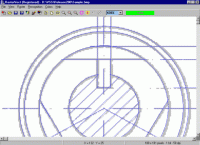
RasterVect Software has released RasterVect, the professional raster to vector conversion program (vectorizer).
The purpose of RasterVect is to quickly convert uneditable scanned paper drawings into accurate vector files for editing (as a CAD drawing) in any CAD program. It saves the converted file as one of vector formats: DXF, WMF, EMF, EPS or AI that can be read by any CAD program that supports these formats, including AutoCAD R14, 2000, LT and similar, like Corel Draw, Adobe Illustrator, Microstation, VectorWorks, TrueCAD, FastCAD and many others.
It's a direct replacement for traditional tracing and digitizing. It saves a lot of time. It is quicker than tracing with a digitizer.
Why do you need RasterVect?
You will probably be able to load a raster file (like BMP, TIFF, PCX -file) into your CAD program - nowadays most CAD programs can import and display raster files. However, once you have imported a raster file into your CAD program you will find that all you can do is look at it or trace over it. You cannot change or edit it.
This is because CAD programs can only work with vector files. If you want to edit a raster file in your CAD program you must first convert it to a vector file. You do this using raster to vector conversion software.
Once you have converted the raster file to vector you will be able to import it into your CAD program and edit it just like any other drawing you have created using your CAD program.
The list below summarises the process of converting a paper drawing to a CAD drawing using a raster to vector converter:
1. Create a raster file by scanning the paper drawing into RasterVect using a scanner.
2. Use RasterVect to convert the raster file into a vector file.
3. Import the vector file into your CAD program.
4. Edit the drawing in your CAD program.
RasterVect saves many hours of tedious work.
The purpose of RasterVect is to quickly convert uneditable scanned paper drawings into accurate vector files for editing (as a CAD drawing) in any CAD program. It saves the converted file as one of vector formats: DXF, WMF, EMF, EPS or AI that can be read by any CAD program that supports these formats, including AutoCAD R14, 2000, LT and similar, like Corel Draw, Adobe Illustrator, Microstation, VectorWorks, TrueCAD, FastCAD and many others.
It's a direct replacement for traditional tracing and digitizing. It saves a lot of time. It is quicker than tracing with a digitizer.
Why do you need RasterVect?
You will probably be able to load a raster file (like BMP, TIFF, PCX -file) into your CAD program - nowadays most CAD programs can import and display raster files. However, once you have imported a raster file into your CAD program you will find that all you can do is look at it or trace over it. You cannot change or edit it.
This is because CAD programs can only work with vector files. If you want to edit a raster file in your CAD program you must first convert it to a vector file. You do this using raster to vector conversion software.
Once you have converted the raster file to vector you will be able to import it into your CAD program and edit it just like any other drawing you have created using your CAD program.
The list below summarises the process of converting a paper drawing to a CAD drawing using a raster to vector converter:
1. Create a raster file by scanning the paper drawing into RasterVect using a scanner.
2. Use RasterVect to convert the raster file into a vector file.
3. Import the vector file into your CAD program.
4. Edit the drawing in your CAD program.
RasterVect saves many hours of tedious work.
Homepage: RasterVect 15.8
OS: Windows XP, Windows Vista, Windows Vista x64, Windows 7, Windows 7 x64
Add Your Review or 64-bit Compatibility Report
Top Screen Capture 64-bit downloads


VueScan 9.8.52
VueScan: Powerful scanning software for enhanced image quality and versatility.
Demo | $29.96

Screenpresso 2.2.8

Screenpresso: Capture, edit, and share screenshots and videos effortlessly.
Shareware | $29.99

iTop Screenshot 1.2.3.544
iTop Screenshot is a free, lightweight, yet powerful screenshot tool.
Freeware
tags: Screenshot, screen capture


SD Snap Studio 1.0
First-class screen capture application with an advanced image editor
Shareware | $20.95

HyperSnap 9.7.3
Capture and edit screenshots effortlessly with powerful tools and features.
Demo | $49.95
Members area
Top 64-bit Downloads
-
Fluid Mask for Mac 3.3.14
x64 trialware download -
ICO file format x64 2.1f1
x64 open source download -
Archicad 64bit 27 B3001
x64 demo download -
WellCAD x64 5.3 B625
x64 demo download -
Portable MicroDicom x64 2024.2
x64 freeware download -
Adobe Photoshop Elements 2024.3
x64 trialware download -
TopSpice 10.26a
x64 demo download -
Potrace for Windows (x64
bit) 1.16
x64 open source download -
delaboratory x64 0.8
x64 open source download -
Photo Ninja 64-bit 1.4.0c
x64 trialware download
Top Downloads
-
CorelDRAW X5 2026 v27.0.0.121
trialware download -
Tracfoil 4.12.07
trialware download -
oCam 428.0
freeware download -
Gyazo 5.9.1
demo download -
MapInfo Professional 17.0.4
trialware download -
iWisdom 0.0.0+2107~ga0785ce1
open source download -
CodeLoader 4.19.0
freeware download -
nanoCAD 5.1.2524.2017
freeware download -
SeiSee 2.22.6
freeware download -
MarvinSketch 23.16.0
freeware download -
Scanahand 8.0.0.320
demo download -
VueScan 9.8.52
demo download -
Topaz Simplify 4.1.1
trialware download -
World Tools 2.0.6
shareware download -
Texmod 0.9b
freeware download