
TigerVNC - X 64-bit Download
Popular x64 Tags
- remote x64 download
- vnc x64 download
- remote desktop x64 download
- reboot x64 download
- telnet x64 download
- pc shutdown x64 download
- control x64 download
- file transfer x64 download
- remote pc x64 download
- remote shutdown x64 download
- remote control x64 download
- computer shutdown x64 download
- remote access x64 download
- network x64 download
- chat x64 download
- shutdown x64 download
- employee monitoring x64 download
- restart x64 download
- power off x64 download
- internet monitor x64 download
- spy software x64 download
- pc monitoring x64 download
- remote poweroff x64 download
- remote spy x64 download
- surveillance x64 download
- activity recorder x64 download
- spy x64 download
- poweroff x64 download
- keystroke logger x64 download
- keylogger x64 download
TigerVNC 1.12.0
Sponsored links:
license: Open Source
downloads: 838
size: 5.10 MB
updated: 2024-07-24
tags: TigerVNC, open source, client, remote desktop, desktop, graphical interface, virtualization, takeover computer control, TigerVNC free download, remote control PC, view computer desktop, server, VNC, cross-platform, download TigerVNC
Add to Basket

Peter Åstrand, Adam Tkac, D. R. Comman...

TigerVNC: A Robust and Versatile Remote Desktop Solution
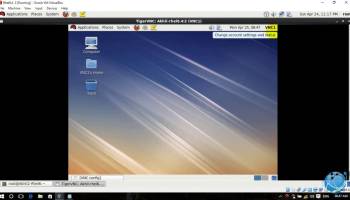
TigerVNC, developed by Peter Åstrand, Adam Tkac, and D. R. Comman, stands out as a powerful and efficient remote desktop software that caters to a wide range of users, from individual enthusiasts to large-scale enterprises. This open-source Virtual Network Computing (VNC) implementation is designed to provide a seamless and high-performance remote desktop experience, ensuring users can access and control their computers from anywhere in the world.
One of the key strengths of TigerVNC lies in its cross-platform compatibility. It supports a variety of operating systems, including Windows, macOS, and various distributions of Linux, making it an ideal choice for heterogeneous environments. This flexibility ensures that users can maintain a consistent remote desktop experience regardless of the underlying operating system.
TigerVNC is built on the foundation of the original VNC project, but it incorporates numerous enhancements and optimizations that set it apart. The software leverages advanced encoding techniques, such as Tight encoding and H.264 video encoding, to deliver smooth and responsive remote sessions even over bandwidth-constrained networks. This focus on performance ensures that users can interact with their remote desktops with minimal latency and high visual fidelity.
Security is a paramount concern for any remote desktop solution, and TigerVNC addresses this with robust encryption and authentication mechanisms. The software supports Transport Layer Security (TLS) to encrypt the data transmitted between the client and server, safeguarding sensitive information from potential eavesdroppers. Additionally, TigerVNC offers various authentication methods, including password-based authentication and integration with external authentication systems, providing users with the flexibility to choose the level of security that best suits their needs.
The user interface of TigerVNC is intuitive and user-friendly, making it accessible to both novice and experienced users. The client application features a straightforward layout that allows users to quickly connect to remote servers, manage multiple sessions, and customize their viewing preferences. The server component is equally easy to configure, with comprehensive documentation and community support available to assist users in setting up and optimizing their remote desktop environments.
Another notable feature of TigerVNC is its extensibility. The software is designed with a modular architecture that allows developers to extend its functionality through plugins and custom modules. This extensibility makes TigerVNC a versatile tool that can be tailored to meet the specific requirements of different use cases, from simple remote support scenarios to complex enterprise deployments.
In conclusion, TigerVNC is a robust and versatile remote desktop solution that excels in performance, security, and ease of use. Its cross-platform compatibility, advanced encoding techniques, and strong encryption and authentication mechanisms make it a reliable choice for anyone seeking a high-quality remote desktop experience. Whether you are an individual user looking to access your home computer on the go or an IT professional managing a fleet of remote servers, TigerVNC offers the features and flexibility needed to get the job done efficiently and securely.
TigerVNC, developed by Peter Åstrand, Adam Tkac, and D. R. Comman, stands out as a powerful and efficient remote desktop software that caters to a wide range of users, from individual enthusiasts to large-scale enterprises. This open-source Virtual Network Computing (VNC) implementation is designed to provide a seamless and high-performance remote desktop experience, ensuring users can access and control their computers from anywhere in the world.
One of the key strengths of TigerVNC lies in its cross-platform compatibility. It supports a variety of operating systems, including Windows, macOS, and various distributions of Linux, making it an ideal choice for heterogeneous environments. This flexibility ensures that users can maintain a consistent remote desktop experience regardless of the underlying operating system.
TigerVNC is built on the foundation of the original VNC project, but it incorporates numerous enhancements and optimizations that set it apart. The software leverages advanced encoding techniques, such as Tight encoding and H.264 video encoding, to deliver smooth and responsive remote sessions even over bandwidth-constrained networks. This focus on performance ensures that users can interact with their remote desktops with minimal latency and high visual fidelity.
Security is a paramount concern for any remote desktop solution, and TigerVNC addresses this with robust encryption and authentication mechanisms. The software supports Transport Layer Security (TLS) to encrypt the data transmitted between the client and server, safeguarding sensitive information from potential eavesdroppers. Additionally, TigerVNC offers various authentication methods, including password-based authentication and integration with external authentication systems, providing users with the flexibility to choose the level of security that best suits their needs.
The user interface of TigerVNC is intuitive and user-friendly, making it accessible to both novice and experienced users. The client application features a straightforward layout that allows users to quickly connect to remote servers, manage multiple sessions, and customize their viewing preferences. The server component is equally easy to configure, with comprehensive documentation and community support available to assist users in setting up and optimizing their remote desktop environments.
Another notable feature of TigerVNC is its extensibility. The software is designed with a modular architecture that allows developers to extend its functionality through plugins and custom modules. This extensibility makes TigerVNC a versatile tool that can be tailored to meet the specific requirements of different use cases, from simple remote support scenarios to complex enterprise deployments.
In conclusion, TigerVNC is a robust and versatile remote desktop solution that excels in performance, security, and ease of use. Its cross-platform compatibility, advanced encoding techniques, and strong encryption and authentication mechanisms make it a reliable choice for anyone seeking a high-quality remote desktop experience. Whether you are an individual user looking to access your home computer on the go or an IT professional managing a fleet of remote servers, TigerVNC offers the features and flexibility needed to get the job done efficiently and securely.
OS: Windows 11, Windows 10 32/64 bit, Windows 8 32/64 bit, Windows 7 32/64 bit, Windows Vista, Windows XP 32/64 bit
Add Your Review or 64-bit Compatibility Report
Top Remote Computing 64-bit downloads

VNC for Mac and Linux 7.16.0 (r14)
Remote access made easy with secure, high-performance VNC Server.
Demo | $8.25


Print2XP 6.99
Access your desktop at the office or remotely accessing the home PC
Trialware | $139.99


LogMeIn Pro 4.1.16162
LogMeIn Pro: Secure and efficient remote access for your devices.
Trialware | $30.00


TeamViewer 15.76.3

Remote access and support solution for seamless collaboration and troubleshooting.
Freeware | $13.90

TeamViewer QuickSupport 15.76.3
Effortless remote support and assistance with TeamViewer QuickSupport.
Freeware

TeamViewer Host 15.76.3
Remote access and support solution for seamless team collaboration.
Freeware | $32.90

AnyDesk 9.6.12
AnyDesk: Fast, secure remote desktop software for seamless connectivity.
Freeware | $19.92

Members area
Top 64-bit Downloads
-
Adobe Flash Player 10
for 64-bit Windows Preview 2
x64 freeware download -
FileZilla Server 1.8.1
x64 open source download -
Internet Explorer 8 for
Windows Vista 64-bit and
Windows Server 2008
64-bit
x64 freeware download -
Firefox 64bit x64 127.0.2
x64 open source download -
SSuite NetSurfer Extreme
x64 2.10.16.1
x64 freeware download -
Google Chrome x64 bit 126.0.6478.127
x64 freeware download -
SSuite NetSurfer Browser
x64 2.30.16.10
x64 freeware download -
AlternaTIFF x64 2.0.8
x64 freeware download -
WatchFTP x64 4.2.1.0
x64 trialware download -
Heroix Longitude for
VMware x64 10.0.1
x64 trialware download
Top Downloads
-
Adobe Flash Player 10
for 64-bit Windows Preview 2
freeware download -
MiraxTV 2024.5
freeware download -
Xftp Free 7.0 B0155
freeware download -
Profile Migrator 1.1
trialware download -
Chrono Download Manager 0.13.10
freeware download -
Web Archives for Opera 7.3.0
open source download -
TheWorld Browser 7.0.0.108
freeware download -
MusicFab 1.0.6.6
demo download -
FileZilla Server 1.8.1
open source download -
Virtual World 4.7.4
commercial download -
Open With Photoshop 63.0
open source download -
Internet Explorer 8 for
Windows Vista 64-bit and
Windows Server 2008
64-bit
freeware download -
NetShareWatcher 1.5.8
shareware download -
Dooble 2024.12.31
open source download -
GetRight 6.5
shareware download