
TransLT - X 64-bit Download
Popular x64 Tags
- autocad x64 download
- solidworks x64 download
- intellicad x64 download
- dxf x64 download
- dwg x64 download
- architectural x64 download
- visualization x64 download
- cad x64 download
- home x64 download
- design x64 download
- hpgl x64 download
- progecad x64 download
- animation x64 download
- fence x64 download
- cam x64 download
- dwg to pdf x64 download
- architect x64 download
- vrml x64 download
- viz x64 download
- convert x64 download
- gear x64 download
- landscape x64 download
- strength check x64 download
- deck x64 download
- batch x64 download
- garden x64 download
- yard x64 download
- gardening x64 download
- landscaping x64 download
- backyard x64 download
TransLT 15.0
Sponsored links:
license: Trialware ($250.00)
downloads: 395
size: 212.00 MB
updated: 2022-12-08
tags: calculate transformation parameter, coordinate transformation, transformation parameter, calculate, geodetic, GPS
Add to Basket

3D Space

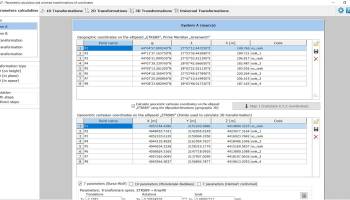
To make it easy to operate with the multitude of existing reference coordinates systems, TransLT contains a module that extracts information from EPSG database. TransLT is aimed at specialists who use GPS technology to perform geodetic works. The program interface is intuitive, easy to use, the data can be imported from txt or csv files, and it allows saving the modification for each step of the transformation.
The calculation of transformation parameters between two coordinates systems can be performed in the following situations:
* 1D transformation (calculation with 5 or 1 parameters);
* 2D transformation (calculation with 4, 5 or 6 parameters);
* 3D transformation (calculation with 7, 8, 9, 10 or 12 parameters).
For each set of calculated parameters calculation reports are generated offering the user information about the quality of the calculated values. The parameters calculation is made easy and practical with the help of worksheets organization.
The transformation of coordinates between two coordinates systems can be done by applying 1D, 2D or 3D transformation or by applying a multiple transformation in steps. The steps of a multiple transformation can be used to make the following coordinates operations:
* coordinates conversions (including using a map projection);
* polynomial transformations;
* transformations using grid files (files containing corrections values);
* transformations with parameters: 1D, 2D or 3D;
* transformations with user defined formula.
The multiple step transformations (which contain many successive transformations) can be saved and used later, with the possibility of applying them directly on a file using the contextual menu from Windows Explorer.
The calculation of transformation parameters between two coordinates systems can be performed in the following situations:
* 1D transformation (calculation with 5 or 1 parameters);
* 2D transformation (calculation with 4, 5 or 6 parameters);
* 3D transformation (calculation with 7, 8, 9, 10 or 12 parameters).
For each set of calculated parameters calculation reports are generated offering the user information about the quality of the calculated values. The parameters calculation is made easy and practical with the help of worksheets organization.
The transformation of coordinates between two coordinates systems can be done by applying 1D, 2D or 3D transformation or by applying a multiple transformation in steps. The steps of a multiple transformation can be used to make the following coordinates operations:
* coordinates conversions (including using a map projection);
* polynomial transformations;
* transformations using grid files (files containing corrections values);
* transformations with parameters: 1D, 2D or 3D;
* transformations with user defined formula.
The multiple step transformations (which contain many successive transformations) can be saved and used later, with the possibility of applying them directly on a file using the contextual menu from Windows Explorer.
OS: Windows XP, Windows Vista, Windows Vista x64, Windows 7, Windows 7 x64, Windows 8, Windows 8 x64, Windows 10, Windows 10 x64, Windows 11
Add Your Review or 64-bit Compatibility Report
Top CAD 64-bit downloads


Tracfoil 4.12.07
Edit and print your ribs and airfoils templates from data
Trialware
tags: Cad, model, aircraft, plane, airfoil plotting, rib plotting, airfoil to DXF, airfoil, plot, rib

MapInfo Professional 17.0.4
Location-based decisions: Explore, model and act with confidence
Trialware | $1 995.00

nanoCAD 5.1.2524.2017
nanoCAD - easy-to-use free CAD software delivering great user experience.
Freeware

DICOMscope 3.5.1
A free DICOM viewer which can display uncompressed, monochrome DICOM images
Freeware


CrystalMaker 11.1.0
A full-featured scientific program, supporting the major database file formats
Demo | $499.00

Members area
Top 64-bit Downloads
-
Fluid Mask for Mac 3.3.14
x64 trialware download -
ICO file format x64 2.1f1
x64 open source download -
Archicad 64bit 27 B3001
x64 demo download -
WellCAD x64 5.3 B625
x64 demo download -
Portable MicroDicom x64 2024.2
x64 freeware download -
Adobe Photoshop Elements 2024.3
x64 trialware download -
TopSpice 10.26a
x64 demo download -
Potrace for Windows (x64
bit) 1.16
x64 open source download -
delaboratory x64 0.8
x64 open source download -
Photo Ninja 64-bit 1.4.0c
x64 trialware download
Top Downloads
-
CorelDRAW X5 2026 v27.0.0.121
trialware download -
Tracfoil 4.12.07
trialware download -
oCam 428.0
freeware download -
Gyazo 5.9.1
demo download -
MapInfo Professional 17.0.4
trialware download -
iWisdom 0.0.0+2107~ga0785ce1
open source download -
CodeLoader 4.19.0
freeware download -
nanoCAD 5.1.2524.2017
freeware download -
SeiSee 2.22.6
freeware download -
MarvinSketch 23.16.0
freeware download -
VueScan 9.8.52
demo download -
Topaz Simplify 4.1.1
trialware download -
World Tools 2.0.6
shareware download -
Texmod 0.9b
freeware download -
DICOMscope 3.5.1
freeware download