
XnConvert Portable - X 64-bit Download
Popular x64 Tags
- image x64 download
- design x64 download
- size x64 download
- color x64 download
- graphics x64 download
- gif x64 download
- panorama x64 download
- photoshop x64 download
- software x64 download
- jpeg x64 download
- utility x64 download
- photo x64 download
- plugin x64 download
- cover x64 download
- tool x64 download
- rgb x64 download
- png x64 download
- jpg x64 download
- pictures x64 download
- images x64 download
- vanderlee x64 download
- bmp x64 download
- photos x64 download
- vdl x64 download
- picture x64 download
- scanner x64 download
- screen x64 download
- video x64 download
- scan x64 download
- dust x64 download
XnConvert Portable 1.106.0
Sponsored links:
license: Shareware ($15.00)
downloads: 42
size: 30.60 MB
updated: 2025-10-13
tags: XnConvert Portable, download XnConvert Portable, XnConvert Portable free download, image converter, enhance image, batch converter, converter, enhance, editor, effect
Add to Basket

Pierre E Gougelet

XnConvert Portable, developed by Pierre E Gougelet, is a powerful and versatile image processing software designed to meet the needs of both amateur and professional photographers. This lightweight application stands out for its portability, allowing users to carry it on a USB drive and use it on any Windows, Mac, or Linux computer without the need for installation. This feature makes it an ideal tool for those who are constantly on the move and require a reliable image converter and editor at their fingertips.
At its core, XnConvert Portable excels in batch processing, enabling users to convert, resize, and edit multiple images simultaneously with remarkable efficiency. The software supports over 500 image formats, including popular ones like JPEG, PNG, TIFF, and RAW, ensuring compatibility with virtually any image file you might encounter. This extensive format support is a testament to the software's versatility and its ability to handle diverse image processing tasks.
One of the standout features of XnConvert Portable is its comprehensive set of editing tools. Users can apply a wide range of adjustments and effects, such as brightness, contrast, saturation, and gamma correction. Additionally, the software offers advanced options like color balance, noise reduction, and sharpening, allowing for precise control over the final output. The inclusion of filters, such as sepia, grayscale, and vignette, further enhances the creative possibilities, making it easy to achieve the desired look for your images.
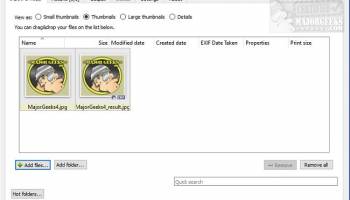
The user interface of XnConvert Portable is intuitive and user-friendly, designed to streamline the workflow and minimize the learning curve. The drag-and-drop functionality simplifies the process of adding images to the workspace, while the well-organized menus and toolbars provide quick access to the various features and settings. The software also includes a preview window, enabling users to see the effects of their adjustments in real-time before applying them to the entire batch.
Another notable aspect of XnConvert Portable is its ability to automate repetitive tasks through the use of scripts. Users can create and save custom scripts that define a series of actions to be applied to their images, significantly speeding up the processing time for large batches. This feature is particularly useful for professionals who need to maintain consistency across multiple projects or for those who frequently perform the same set of edits.
In addition to its robust feature set, XnConvert Portable is also highly efficient in terms of performance. The software is optimized to handle large volumes of images without compromising on speed or quality. This efficiency is crucial for users who need to process hundreds or even thousands of images in a short period.
Security and privacy are also key considerations in the design of XnConvert Portable. As a portable application, it leaves no traces on the host computer, ensuring that your data remains secure and private. This is particularly important for users who work with sensitive or confidential images.
In summary, XnConvert Portable by Pierre E Gougelet is a comprehensive and highly capable image processing tool that offers a perfect blend of portability, functionality, and ease of use. Its extensive format support, powerful editing tools, and efficient batch processing capabilities make it an indispensable asset for photographers, graphic designers, and anyone who regularly works with images. Whether you are looking to perform simple conversions or complex edits, XnConvert Portable provides the flexibility and performance you need to achieve professional results.
At its core, XnConvert Portable excels in batch processing, enabling users to convert, resize, and edit multiple images simultaneously with remarkable efficiency. The software supports over 500 image formats, including popular ones like JPEG, PNG, TIFF, and RAW, ensuring compatibility with virtually any image file you might encounter. This extensive format support is a testament to the software's versatility and its ability to handle diverse image processing tasks.
One of the standout features of XnConvert Portable is its comprehensive set of editing tools. Users can apply a wide range of adjustments and effects, such as brightness, contrast, saturation, and gamma correction. Additionally, the software offers advanced options like color balance, noise reduction, and sharpening, allowing for precise control over the final output. The inclusion of filters, such as sepia, grayscale, and vignette, further enhances the creative possibilities, making it easy to achieve the desired look for your images.
The user interface of XnConvert Portable is intuitive and user-friendly, designed to streamline the workflow and minimize the learning curve. The drag-and-drop functionality simplifies the process of adding images to the workspace, while the well-organized menus and toolbars provide quick access to the various features and settings. The software also includes a preview window, enabling users to see the effects of their adjustments in real-time before applying them to the entire batch.
Another notable aspect of XnConvert Portable is its ability to automate repetitive tasks through the use of scripts. Users can create and save custom scripts that define a series of actions to be applied to their images, significantly speeding up the processing time for large batches. This feature is particularly useful for professionals who need to maintain consistency across multiple projects or for those who frequently perform the same set of edits.
In addition to its robust feature set, XnConvert Portable is also highly efficient in terms of performance. The software is optimized to handle large volumes of images without compromising on speed or quality. This efficiency is crucial for users who need to process hundreds or even thousands of images in a short period.
Security and privacy are also key considerations in the design of XnConvert Portable. As a portable application, it leaves no traces on the host computer, ensuring that your data remains secure and private. This is particularly important for users who work with sensitive or confidential images.
In summary, XnConvert Portable by Pierre E Gougelet is a comprehensive and highly capable image processing tool that offers a perfect blend of portability, functionality, and ease of use. Its extensive format support, powerful editing tools, and efficient batch processing capabilities make it an indispensable asset for photographers, graphic designers, and anyone who regularly works with images. Whether you are looking to perform simple conversions or complex edits, XnConvert Portable provides the flexibility and performance you need to achieve professional results.
OS: Windows 11, Windows 10 32/64 bit, Windows 8 32/64 bit, Windows 7 32/64 bit
Add Your Review or 64-bit Compatibility Report
Top Other 64-bit downloads


iWisdom 0.0.0+2107~ga0785ce1
An application which helps you store small bits of wisdom, such as quotations
Open Source


World Tools 2.0.6
An Adobe InDesign to work on right-to-left languages and writing scripts
Shareware | $99.00




Topaz DeJPEG 4.1.0
Gives you the ability to improve the quality of your JPEG images
Trialware | $29.99

Members area
Top 64-bit Downloads
-
Fluid Mask for Mac 3.3.14
x64 trialware download -
ICO file format x64 2.1f1
x64 open source download -
Archicad 64bit 27 B3001
x64 demo download -
WellCAD x64 5.3 B625
x64 demo download -
Portable MicroDicom x64 2024.2
x64 freeware download -
Adobe Photoshop Elements 2024.3
x64 trialware download -
TopSpice 10.26a
x64 demo download -
Potrace for Windows (x64
bit) 1.16
x64 open source download -
delaboratory x64 0.8
x64 open source download -
Photo Ninja 64-bit 1.4.0c
x64 trialware download
Top Downloads
-
CorelDRAW X5 2026 v27.0.0.121
trialware download -
Tracfoil 4.12.07
trialware download -
oCam 428.0
freeware download -
Gyazo 5.9.1
demo download -
MarvinSketch 23.16.0
freeware download -
MapInfo Professional 17.0.4
trialware download -
iWisdom 0.0.0+2107~ga0785ce1
open source download -
CodeLoader 4.19.0
freeware download -
nanoCAD 5.1.2524.2017
freeware download -
SeiSee 2.22.6
freeware download -
Scanahand 8.0.0.320
demo download -
VueScan 9.8.52
demo download -
Topaz Simplify 4.1.1
trialware download -
World Tools 2.0.6
shareware download -
Texmod 0.9b
freeware download