
AutoWikiBrowser - X 64-bit Download
Popular x64 Tags
- software x64 download
- network x64 download
- download x64 download
- seo x64 download
- rss reader x64 download
- online tv x64 download
- internet x64 download
- freeware x64 download
- free x64 download
- identity management x64 download
- hardware inventory x64 download
- slow pc performance x64 download
- proxy x64 download
- utility x64 download
- password manager x64 download
- satellite tv for pc x64 download
- email x64 download
- password reset x64 download
- address x64 download
- security x64 download
- server x64 download
- web x64 download
- remote control software x64 download
- pages x64 download
- rss x64 download
- password management x64 download
- active directory x64 download
- why is my computer so slow x64 download
- software distribution x64 download
- software inventory x64 download
AutoWikiBrowser 6.3.1.1
Sponsored links:
license: Open Source
downloads: 323
size: 1.10 MB
updated: 2024-08-09
tags: Article Editor, Wikipedia, Article, editing, AutoWikiBrowser free download, AutoWikiBrowser, WikiBluemoose, automation, download AutoWikiBrowser, Browser, Editor, Wikipedia Editor, Wikipedia Browser, software
Add to Basket

WikiBluemoose

AutoWikiBrowser (AWB), developed by WikiBluemoose, is a powerful semi-automated Wikipedia editor designed to streamline and enhance the efficiency of repetitive editing tasks. This versatile tool is a boon for both novice and seasoned Wikipedia editors, offering a blend of automation and manual control that ensures high-quality contributions to the vast online encyclopedia.
At its core, AWB is a Windows-based application that allows users to perform a multitude of editing tasks with remarkable speed and precision. Its primary function is to assist in the mass-editing of articles, making it particularly useful for tasks such as fixing common typos, standardizing formatting, updating links, and implementing widespread changes across numerous pages. The software's intuitive interface and robust feature set make it an indispensable tool for maintaining the consistency and accuracy of Wikipedia's vast repository of information.
One of the standout features of AutoWikiBrowser is its customizable list generation. Users can create lists of pages to edit based on various criteria, such as categories, links, or search results. This flexibility allows editors to target specific groups of articles, ensuring that their efforts are both focused and effective. Additionally, AWB supports the use of regular expressions, enabling users to perform complex text manipulations with ease.
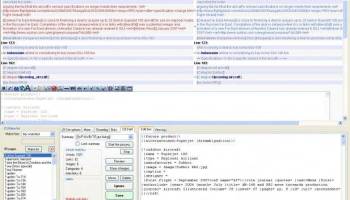
The software also boasts an integrated diff viewer, which highlights changes between the original and edited versions of a page. This feature is particularly valuable for quality control, as it allows users to review their edits before saving them, ensuring that no unintended changes are made. Furthermore, AWB includes a robust set of built-in rules and guidelines, which help users adhere to Wikipedia's editing standards and best practices.
AutoWikiBrowser's extensibility is another key advantage. The software supports plugins and custom modules, allowing users to tailor its functionality to their specific needs. This extensibility ensures that AWB can adapt to the evolving requirements of Wikipedia editing, making it a future-proof tool for the community.
Despite its powerful capabilities, AWB is designed with user-friendliness in mind. The application features a straightforward, tabbed interface that organizes its various functions into easily accessible sections. This design ensures that even users with limited technical expertise can quickly become proficient with the software. Additionally, AWB's comprehensive documentation and active user community provide ample support for new users, helping them to navigate the software's features and maximize its potential.
Security and accountability are also paramount in AutoWikiBrowser's design. The software requires users to log in with their Wikipedia credentials, ensuring that all edits are properly attributed and traceable. This feature not only maintains the integrity of the editing process but also fosters a sense of responsibility among users.
In summary, AutoWikiBrowser by WikiBluemoose is an indispensable tool for Wikipedia editors seeking to enhance their productivity and maintain the quality of their contributions. Its blend of automation, customization, and user-friendly design makes it a standout choice for anyone involved in the upkeep of the world's largest online encyclopedia. Whether you're tackling large-scale formatting projects or making precise, targeted edits, AWB provides the tools you need to get the job done efficiently and effectively.
At its core, AWB is a Windows-based application that allows users to perform a multitude of editing tasks with remarkable speed and precision. Its primary function is to assist in the mass-editing of articles, making it particularly useful for tasks such as fixing common typos, standardizing formatting, updating links, and implementing widespread changes across numerous pages. The software's intuitive interface and robust feature set make it an indispensable tool for maintaining the consistency and accuracy of Wikipedia's vast repository of information.
One of the standout features of AutoWikiBrowser is its customizable list generation. Users can create lists of pages to edit based on various criteria, such as categories, links, or search results. This flexibility allows editors to target specific groups of articles, ensuring that their efforts are both focused and effective. Additionally, AWB supports the use of regular expressions, enabling users to perform complex text manipulations with ease.
The software also boasts an integrated diff viewer, which highlights changes between the original and edited versions of a page. This feature is particularly valuable for quality control, as it allows users to review their edits before saving them, ensuring that no unintended changes are made. Furthermore, AWB includes a robust set of built-in rules and guidelines, which help users adhere to Wikipedia's editing standards and best practices.
AutoWikiBrowser's extensibility is another key advantage. The software supports plugins and custom modules, allowing users to tailor its functionality to their specific needs. This extensibility ensures that AWB can adapt to the evolving requirements of Wikipedia editing, making it a future-proof tool for the community.
Despite its powerful capabilities, AWB is designed with user-friendliness in mind. The application features a straightforward, tabbed interface that organizes its various functions into easily accessible sections. This design ensures that even users with limited technical expertise can quickly become proficient with the software. Additionally, AWB's comprehensive documentation and active user community provide ample support for new users, helping them to navigate the software's features and maximize its potential.
Security and accountability are also paramount in AutoWikiBrowser's design. The software requires users to log in with their Wikipedia credentials, ensuring that all edits are properly attributed and traceable. This feature not only maintains the integrity of the editing process but also fosters a sense of responsibility among users.
In summary, AutoWikiBrowser by WikiBluemoose is an indispensable tool for Wikipedia editors seeking to enhance their productivity and maintain the quality of their contributions. Its blend of automation, customization, and user-friendly design makes it a standout choice for anyone involved in the upkeep of the world's largest online encyclopedia. Whether you're tackling large-scale formatting projects or making precise, targeted edits, AWB provides the tools you need to get the job done efficiently and effectively.
OS: Windows 11, Windows 10 32/64 bit, Windows 8 32/64 bit, Windows 7 32/64 bit, Windows Vista
Add Your Review or 64-bit Compatibility Report
Top Other 64-bit downloads


Adobe Flash Player 10 for 64-bit Windows Preview 2
Enables native 64-bit support on Linux operating systems
Freeware


Virtual World 4.7.4
An interactive 3D Virtual World chat with live webcam and avatars support.
Commercial | $1 500.00

Advanced TCP IP Data Logger 5.1.3 Build 310
Log data from one or more Terminal Servers to disk
Demo | $100.00


Lansweeper 12.6.3.5
Comprehensive IT asset management and network discovery solution.
Demo | $219.00

Google Apps Manager 7.38.02

Manage Google Workspace accounts and services effortlessly with GAM.
Open Source

miTaggedMarks 2.01.4
Use tags to organize and access your local collection of bookmarks
Trialware | $20.00
Members area
Top 64-bit Downloads
-
Adobe Flash Player 10
for 64-bit Windows Preview 2
x64 freeware download -
FileZilla Server 1.8.1
x64 open source download -
Internet Explorer 8 for
Windows Vista 64-bit and
Windows Server 2008
64-bit
x64 freeware download -
Firefox 64bit x64 127.0.2
x64 open source download -
SSuite NetSurfer Extreme
x64 2.10.16.1
x64 freeware download -
Google Chrome x64 bit 126.0.6478.127
x64 freeware download -
SSuite NetSurfer Browser
x64 2.30.16.10
x64 freeware download -
WatchFTP x64 4.2.1.0
x64 trialware download -
Heroix Longitude for
VMware x64 10.0.1
x64 trialware download -
Xlight FTP Server
Professional x64 3.9.4.2
x64 trialware download
Top Downloads
-
Adobe Flash Player 10
for 64-bit Windows Preview 2
freeware download -
MiraxTV 2024.5
freeware download -
Xftp Free 7.0 B0155
freeware download -
Profile Migrator 1.1
trialware download -
Web Archives for Opera 7.3.0
open source download -
TheWorld Browser 7.0.0.108
freeware download -
MusicFab 1.0.6.6
demo download -
Virtual World 4.7.4
commercial download -
Open With Photoshop 63.0
open source download -
Chrono Download Manager 0.13.10
freeware download -
NetShareWatcher 1.5.8
shareware download -
Dooble 2024.12.31
open source download -
GetRight 6.5
shareware download -
MP4 Downloader 6.3.0
trialware download -
Vuze 5.7.7.0
freeware download