
NetSetMan - X 64-bit Download
Popular x64 Tags
- software x64 download
- network x64 download
- download x64 download
- seo x64 download
- rss reader x64 download
- online tv x64 download
- internet x64 download
- freeware x64 download
- free x64 download
- identity management x64 download
- hardware inventory x64 download
- slow pc performance x64 download
- proxy x64 download
- utility x64 download
- password manager x64 download
- satellite tv for pc x64 download
- email x64 download
- password reset x64 download
- address x64 download
- security x64 download
- server x64 download
- web x64 download
- remote control software x64 download
- pages x64 download
- rss x64 download
- password management x64 download
- active directory x64 download
- why is my computer so slow x64 download
- software distribution x64 download
- software inventory x64 download
NetSetMan 5.4.0
Sponsored links:
license: Commercial
downloads: 184
size: 7.40 MB
updated: 2025-03-05
tags: create network profile, network management, IP configuration, configure network, NetSetMan, connection, NetSetMan free download, profile, freeware, LAN, Ilja Herlein, LAN configuration, download NetSetMan, configure, Windows utility
Add to Basket

Ilja Herlein

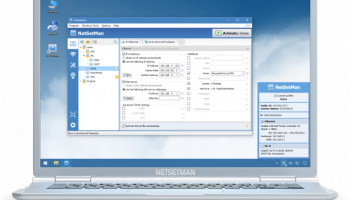
NetSetMan, developed by Ilja Herlein, is a powerful network management tool designed to simplify the process of switching between different network configurations. This software is particularly useful for users who frequently move between various network environments, such as laptops used in both home and office settings or IT professionals managing multiple networks.
At its core, NetSetMan offers a user-friendly interface that allows you to create and manage up to six different network profiles. Each profile can be customized with a variety of settings, including IP address, subnet mask, default gateway, DNS server, and more. This flexibility ensures that you can tailor each profile to meet the specific requirements of different network environments, eliminating the need for manual reconfiguration every time you switch networks.
One of the standout features of NetSetMan is its ability to automate the switching process. With just a few clicks, you can seamlessly transition between network profiles, saving time and reducing the potential for configuration errors. This is particularly beneficial for users who need to quickly adapt to different network settings without the hassle of manually adjusting each parameter.
In addition to its core functionality, NetSetMan also offers a range of advanced features that enhance its usability. These include the ability to manage WiFi settings, configure proxy settings, and even execute custom scripts when switching profiles. This level of customization makes it a versatile tool for both casual users and IT professionals alike.
NetSetMan is available in both a free and a pro version, with the latter offering additional features such as the ability to manage more profiles, import/export settings, and access to technical support. The free version, however, is robust enough for most users and provides a comprehensive set of tools for managing network settings efficiently.
The software is compatible with a wide range of Windows operating systems, ensuring broad accessibility for users across different platforms. Its lightweight design means it won't bog down your system, allowing for smooth operation even on older machines.
In summary, NetSetMan by Ilja Herlein is an indispensable tool for anyone needing to manage multiple network configurations with ease. Its intuitive interface, combined with powerful customization options, makes it a standout choice in the realm of network management software. Whether you're a frequent traveler, a remote worker, or an IT professional, NetSetMan offers a reliable and efficient solution to your network management needs.
At its core, NetSetMan offers a user-friendly interface that allows you to create and manage up to six different network profiles. Each profile can be customized with a variety of settings, including IP address, subnet mask, default gateway, DNS server, and more. This flexibility ensures that you can tailor each profile to meet the specific requirements of different network environments, eliminating the need for manual reconfiguration every time you switch networks.
One of the standout features of NetSetMan is its ability to automate the switching process. With just a few clicks, you can seamlessly transition between network profiles, saving time and reducing the potential for configuration errors. This is particularly beneficial for users who need to quickly adapt to different network settings without the hassle of manually adjusting each parameter.
In addition to its core functionality, NetSetMan also offers a range of advanced features that enhance its usability. These include the ability to manage WiFi settings, configure proxy settings, and even execute custom scripts when switching profiles. This level of customization makes it a versatile tool for both casual users and IT professionals alike.
NetSetMan is available in both a free and a pro version, with the latter offering additional features such as the ability to manage more profiles, import/export settings, and access to technical support. The free version, however, is robust enough for most users and provides a comprehensive set of tools for managing network settings efficiently.
The software is compatible with a wide range of Windows operating systems, ensuring broad accessibility for users across different platforms. Its lightweight design means it won't bog down your system, allowing for smooth operation even on older machines.
In summary, NetSetMan by Ilja Herlein is an indispensable tool for anyone needing to manage multiple network configurations with ease. Its intuitive interface, combined with powerful customization options, makes it a standout choice in the realm of network management software. Whether you're a frequent traveler, a remote worker, or an IT professional, NetSetMan offers a reliable and efficient solution to your network management needs.
OS: Windows 11, Windows 10 32/64 bit, Windows 8 32/64 bit, Windows 7 32/64 bit
Add Your Review or 64-bit Compatibility Report
Top Other 64-bit downloads


Adobe Flash Player 10 for 64-bit Windows Preview 2
Enables native 64-bit support on Linux operating systems
Freeware


Virtual World 4.7.4
An interactive 3D Virtual World chat with live webcam and avatars support.
Commercial | $1 500.00

Advanced TCP IP Data Logger 5.1.3 Build 310
Log data from one or more Terminal Servers to disk
Demo | $100.00


Lansweeper 12.6.3.5
Comprehensive IT asset management and network discovery solution.
Demo | $219.00

Google Apps Manager 7.38.02

Manage Google Workspace accounts and services effortlessly with GAM.
Open Source

miTaggedMarks 2.01.4
Use tags to organize and access your local collection of bookmarks
Trialware | $20.00
Members area
Top 64-bit Downloads
-
Adobe Flash Player 10
for 64-bit Windows Preview 2
x64 freeware download -
FileZilla Server 1.8.1
x64 open source download -
Internet Explorer 8 for
Windows Vista 64-bit and
Windows Server 2008
64-bit
x64 freeware download -
Firefox 64bit x64 127.0.2
x64 open source download -
SSuite NetSurfer Extreme
x64 2.10.16.1
x64 freeware download -
Google Chrome x64 bit 126.0.6478.127
x64 freeware download -
SSuite NetSurfer Browser
x64 2.30.16.10
x64 freeware download -
WatchFTP x64 4.2.1.0
x64 trialware download -
Heroix Longitude for
VMware x64 10.0.1
x64 trialware download -
Xlight FTP Server
Professional x64 3.9.4.2
x64 trialware download
Top Downloads
-
Adobe Flash Player 10
for 64-bit Windows Preview 2
freeware download -
MiraxTV 2024.5
freeware download -
Profile Migrator 1.1
trialware download -
Web Archives for Opera 7.3.0
open source download -
TheWorld Browser 7.0.0.108
freeware download -
MusicFab 1.0.6.6
demo download -
Xftp Free 7.0 B0155
freeware download -
Virtual World 4.7.4
commercial download -
Open With Photoshop 63.0
open source download -
NetShareWatcher 1.5.8
shareware download -
Dooble 2024.12.31
open source download -
GetRight 6.5
shareware download -
MP4 Downloader 6.3.0
trialware download -
Vuze 5.7.7.0
freeware download -
LocalSend 1.17.0
open source download