
Remote Desktop Manager - X 64-bit Download
Popular x64 Tags
- software x64 download
- network x64 download
- download x64 download
- seo x64 download
- rss reader x64 download
- online tv x64 download
- internet x64 download
- freeware x64 download
- free x64 download
- identity management x64 download
- hardware inventory x64 download
- slow pc performance x64 download
- proxy x64 download
- utility x64 download
- password manager x64 download
- satellite tv for pc x64 download
- email x64 download
- password reset x64 download
- address x64 download
- security x64 download
- server x64 download
- web x64 download
- remote control software x64 download
- pages x64 download
- rss x64 download
- password management x64 download
- active directory x64 download
- why is my computer so slow x64 download
- software distribution x64 download
- software inventory x64 download
Remote Desktop Manager 2026.1.15.0
Sponsored links:
license: Trialware ($3.00)
downloads: 4453
size: 300.00 MB
updated: 2026-03-24
tags: Remote Desktop Manager, download Remote Desktop Manager, Remote Desktop Manager free download, Remote Desktop, Remote Connection, Organize Connection, Remote, Connection, Connect, RDP
Add to Basket

Devolutions inc.

Remote Desktop Manager is a small application used to manage all your remote connections and virtual machines. Add, edit, delete, share, organize and find your remote connection quickly. Remote Desktop Manager is designed to help you manage all your remote connections and virtual machines conveniently, from a single place. The application is a useful tool for system administrators that need to provide constant support to their customers and manage multiple network devices.
Compatible with Microsoft Remote Desktop, Terminal Services, VNC, LogMeIn, Team Viewer, Ftp, SSH, Telnet, Dameware, X Window, VMware, Virtual PC, PC Anywhere, Hyper-V, Citrix, Radmin, Microsoft Remote Assistance, Oracle Virtual Box and more. All your sessions can be organized in different groups or folders and filtered to easily find the connection you are looking for. Moreover, you have easy access to opened sessions via the system tray icon. Detailed information regarding the current session is displayed at-a-glance in the 'Dashboard' section. The application comes with additional tools, such as the built-in password manager, the password analyzer or the SSH key generator. Also, it allows you to store and organize confidential data, including credentials, bank information or any other confidential documents.
Session templates, session sharing between multiple users, the integrated data report viewer and the online session backup service are other advantages that this application brings you.
Automatic VPN connection (Microsoft / Cisco / SonicWall)
The application natively supports multiple VPN types such as Microsoft VPN, Cisco VPN and SonicWall VPN.
But the list does not end here, we also provide, as a free add-on, a large list of VPN like OpenVPN, Shrewsoft VPN and many other VPN compatible with IPSec. Downloaded and installed in few seconds.
VPN, SSL/SSH tunnels can be opened automatically before establishing a remote connection. Their configurations can be reused between different sessions and shared by the users.
Grouping sessions in folders
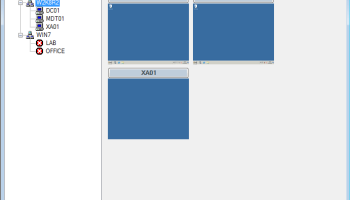
To simplify your management, you can organize your sessions in group (folder). The dashboard lets you see all sessions included in the selected groups and subgroups and by using the filter you can search for a specific group.
You can also easily move your groups and sessions from one to another by using drag and drop. It's also possible to open several sessions at the same time by selecting a group.
Quick Connect with template support
Use the quick connect feature to quickly access a remote machine using Microsoft Remote Desktop, VNC or a web page. Simply enter a host name or IP address.
You can even create your own custom template to use any other sessions type.
Quick access via tray icon context menu
Use the tray icon context menu to:
* Access and manage your connections.
* View your opened sessions.
* Change the active data source.
* Use the Quick connect feature.
* Access local tools such as: the command prompt, registry editor, performance monitor, remote shutdown...
Compatible with Microsoft Remote Desktop, Terminal Services, VNC, LogMeIn, Team Viewer, Ftp, SSH, Telnet, Dameware, X Window, VMware, Virtual PC, PC Anywhere, Hyper-V, Citrix, Radmin, Microsoft Remote Assistance, Oracle Virtual Box and more. All your sessions can be organized in different groups or folders and filtered to easily find the connection you are looking for. Moreover, you have easy access to opened sessions via the system tray icon. Detailed information regarding the current session is displayed at-a-glance in the 'Dashboard' section. The application comes with additional tools, such as the built-in password manager, the password analyzer or the SSH key generator. Also, it allows you to store and organize confidential data, including credentials, bank information or any other confidential documents.
Session templates, session sharing between multiple users, the integrated data report viewer and the online session backup service are other advantages that this application brings you.
Automatic VPN connection (Microsoft / Cisco / SonicWall)
The application natively supports multiple VPN types such as Microsoft VPN, Cisco VPN and SonicWall VPN.
But the list does not end here, we also provide, as a free add-on, a large list of VPN like OpenVPN, Shrewsoft VPN and many other VPN compatible with IPSec. Downloaded and installed in few seconds.
VPN, SSL/SSH tunnels can be opened automatically before establishing a remote connection. Their configurations can be reused between different sessions and shared by the users.
Grouping sessions in folders
To simplify your management, you can organize your sessions in group (folder). The dashboard lets you see all sessions included in the selected groups and subgroups and by using the filter you can search for a specific group.
You can also easily move your groups and sessions from one to another by using drag and drop. It's also possible to open several sessions at the same time by selecting a group.
Quick Connect with template support
Use the quick connect feature to quickly access a remote machine using Microsoft Remote Desktop, VNC or a web page. Simply enter a host name or IP address.
You can even create your own custom template to use any other sessions type.
Quick access via tray icon context menu
Use the tray icon context menu to:
* Access and manage your connections.
* View your opened sessions.
* Change the active data source.
* Use the Quick connect feature.
* Access local tools such as: the command prompt, registry editor, performance monitor, remote shutdown...
OS: Windows Server 2025, Windows 11, Windows Server 2022, Windows Server 2019, Windows Server 2016, Windows 10 64 bit
Add Your Review or 64-bit Compatibility Report
Top Other 64-bit downloads


Adobe Flash Player 10 for 64-bit Windows Preview 2
Enables native 64-bit support on Linux operating systems
Freeware


Virtual World 4.7.4
An interactive 3D Virtual World chat with live webcam and avatars support.
Commercial | $1 500.00

Advanced TCP IP Data Logger 5.1.3 Build 310
Log data from one or more Terminal Servers to disk
Demo | $100.00


Lansweeper 12.6.3.5
Comprehensive IT asset management and network discovery solution.
Demo | $219.00

Google Apps Manager 7.38.02

Manage Google Workspace accounts and services effortlessly with GAM.
Open Source

miTaggedMarks 2.01.4
Use tags to organize and access your local collection of bookmarks
Trialware | $20.00
Members area
Top 64-bit Downloads
-
Adobe Flash Player 10
for 64-bit Windows Preview 2
x64 freeware download -
FileZilla Server 1.8.1
x64 open source download -
Internet Explorer 8 for
Windows Vista 64-bit and
Windows Server 2008
64-bit
x64 freeware download -
Firefox 64bit x64 127.0.2
x64 open source download -
SSuite NetSurfer Extreme
x64 2.10.16.1
x64 freeware download -
Google Chrome x64 bit 126.0.6478.127
x64 freeware download -
SSuite NetSurfer Browser
x64 2.30.16.10
x64 freeware download -
WatchFTP x64 4.2.1.0
x64 trialware download -
Heroix Longitude for
VMware x64 10.0.1
x64 trialware download -
Xlight FTP Server
Professional x64 3.9.4.2
x64 trialware download
Top Downloads
-
Adobe Flash Player 10
for 64-bit Windows Preview 2
freeware download -
MiraxTV 2024.5
freeware download -
Profile Migrator 1.1
trialware download -
Web Archives for Opera 7.3.0
open source download -
TheWorld Browser 7.0.0.108
freeware download -
MusicFab 1.0.6.6
demo download -
Xftp Free 7.0 B0155
freeware download -
Virtual World 4.7.4
commercial download -
Open With Photoshop 63.0
open source download -
NetShareWatcher 1.5.8
shareware download -
Dooble 2024.12.31
open source download -
GetRight 6.5
shareware download -
MP4 Downloader 6.3.0
trialware download -
Vuze 5.7.7.0
freeware download -
LocalSend 1.17.0
open source download